Compare commits
2 Commits
012e22ea6f
...
bd31410d5a
| Author | SHA1 | Date | |
|---|---|---|---|
| bd31410d5a | |||
| ef7d4cccc1 |

@ -24,10 +24,8 @@ package-lock.json.local
|
|||||||
.github/
|
.github/
|
||||||
.travis.yml
|
.travis.yml
|
||||||
|
|
||||||
# Documentation
|
# Documentation - exclude only build artifacts, allow all source
|
||||||
*.md
|
docs/book/
|
||||||
!README.md
|
|
||||||
docs/
|
|
||||||
|
|
||||||
# IDE and editor files
|
# IDE and editor files
|
||||||
.vscode/
|
.vscode/
|
||||||
|
|||||||
@ -4,11 +4,9 @@ on:
|
|||||||
push:
|
push:
|
||||||
branches:
|
branches:
|
||||||
- main
|
- main
|
||||||
- master
|
|
||||||
pull_request:
|
pull_request:
|
||||||
branches:
|
branches:
|
||||||
- main
|
- main
|
||||||
- master
|
|
||||||
|
|
||||||
env:
|
env:
|
||||||
REGISTRY: gt.wittyoneoff.com
|
REGISTRY: gt.wittyoneoff.com
|
||||||
|
|||||||
11
.gitignore
vendored
11
.gitignore
vendored
@ -17,6 +17,15 @@ logs/
|
|||||||
.env
|
.env
|
||||||
.env.local
|
.env.local
|
||||||
|
|
||||||
|
# Documentation build output
|
||||||
|
static/docs/
|
||||||
|
|
||||||
|
# Temporary markdown documentation files
|
||||||
|
DOCKER_DOCS_FIXED.md
|
||||||
|
DOCS_TROUBLESHOOTING.md
|
||||||
|
DOCUMENTATION_SUMMARY.md
|
||||||
|
QUICK_START_DOCS.md
|
||||||
|
|
||||||
# OS specific
|
# OS specific
|
||||||
.DS_Store
|
.DS_Store
|
||||||
Thumbs.db
|
Thumbs.db
|
||||||
@ -39,3 +48,5 @@ scripts/publish-to-gitea.sh
|
|||||||
scripts/verify_upgrade.sh
|
scripts/verify_upgrade.sh
|
||||||
scripts/check-setup.sh
|
scripts/check-setup.sh
|
||||||
scripts/test-docker-config.sh
|
scripts/test-docker-config.sh
|
||||||
|
scripts/prepare-docker-build.sh
|
||||||
|
scripts/test-docs.sh
|
||||||
|
|||||||
50
Dockerfile
50
Dockerfile
@ -2,7 +2,39 @@
|
|||||||
# This reduces the final image size significantly by separating build and runtime
|
# This reduces the final image size significantly by separating build and runtime
|
||||||
|
|
||||||
# ============================================================================
|
# ============================================================================
|
||||||
# Stage 1: Rust Builder
|
# Stage 1: Documentation Builder
|
||||||
|
# ============================================================================
|
||||||
|
FROM rust:1.91-slim-bookworm AS docs-builder
|
||||||
|
|
||||||
|
WORKDIR /build
|
||||||
|
|
||||||
|
# Install required tools
|
||||||
|
RUN apt-get update && \
|
||||||
|
apt-get install -y --no-install-recommends curl ca-certificates && \
|
||||||
|
rm -rf /var/lib/apt/lists/*
|
||||||
|
|
||||||
|
# Install mdbook first
|
||||||
|
RUN cargo install mdbook
|
||||||
|
|
||||||
|
# Copy documentation source (includes theme files)
|
||||||
|
COPY docs ./docs
|
||||||
|
|
||||||
|
# Download Catppuccin theme CSS if not already present
|
||||||
|
RUN if [ ! -f docs/theme/catppuccin.css ]; then \
|
||||||
|
curl -fsSL https://github.com/catppuccin/mdBook/releases/latest/download/catppuccin.css \
|
||||||
|
-o docs/theme/catppuccin.css && \
|
||||||
|
echo "Catppuccin CSS downloaded successfully"; \
|
||||||
|
else \
|
||||||
|
echo "Catppuccin CSS already present"; \
|
||||||
|
fi
|
||||||
|
|
||||||
|
# Build documentation
|
||||||
|
RUN cd docs && \
|
||||||
|
mdbook build && \
|
||||||
|
ls -la book/
|
||||||
|
|
||||||
|
# ============================================================================
|
||||||
|
# Stage 2: Rust Builder
|
||||||
# ============================================================================
|
# ============================================================================
|
||||||
FROM rust:1.91-slim-bookworm AS rust-builder
|
FROM rust:1.91-slim-bookworm AS rust-builder
|
||||||
|
|
||||||
@ -29,6 +61,14 @@ RUN mkdir src && \
|
|||||||
COPY src ./src
|
COPY src ./src
|
||||||
COPY templates ./templates
|
COPY templates ./templates
|
||||||
COPY static ./static
|
COPY static ./static
|
||||||
|
COPY build.rs ./build.rs
|
||||||
|
|
||||||
|
# Copy built documentation from docs-builder stage
|
||||||
|
COPY --from=docs-builder /build/docs/book ./static/docs
|
||||||
|
|
||||||
|
# Verify documentation was copied
|
||||||
|
RUN ls -la ./static/docs/ && \
|
||||||
|
test -f ./static/docs/index.html || (echo "ERROR: Documentation index.html not found!" && exit 1)
|
||||||
|
|
||||||
# Build the actual application (force rebuild by touching sources)
|
# Build the actual application (force rebuild by touching sources)
|
||||||
RUN touch src/server.rs src/lib.rs && \
|
RUN touch src/server.rs src/lib.rs && \
|
||||||
@ -36,7 +76,7 @@ RUN touch src/server.rs src/lib.rs && \
|
|||||||
strip target/release/webterm-server
|
strip target/release/webterm-server
|
||||||
|
|
||||||
# ============================================================================
|
# ============================================================================
|
||||||
# Stage 2: Node.js Builder
|
# Stage 3: Node.js Builder
|
||||||
# ============================================================================
|
# ============================================================================
|
||||||
FROM node:20-slim AS node-builder
|
FROM node:20-slim AS node-builder
|
||||||
|
|
||||||
@ -56,7 +96,7 @@ RUN npm ci --only=production && \
|
|||||||
cp static/favicon.png node_modules/
|
cp static/favicon.png node_modules/
|
||||||
|
|
||||||
# ============================================================================
|
# ============================================================================
|
||||||
# Stage 3: Runtime Image
|
# Stage 4: Runtime Image
|
||||||
# ============================================================================
|
# ============================================================================
|
||||||
FROM debian:trixie-slim
|
FROM debian:trixie-slim
|
||||||
|
|
||||||
@ -104,6 +144,10 @@ COPY --from=rust-builder /build/target/release/webterm-server /usr/local/bin/web
|
|||||||
COPY --from=rust-builder /build/templates ./templates
|
COPY --from=rust-builder /build/templates ./templates
|
||||||
COPY --from=rust-builder /build/static ./static
|
COPY --from=rust-builder /build/static ./static
|
||||||
|
|
||||||
|
# Verify documentation is present in static/docs
|
||||||
|
RUN ls -la ./static/docs/ && \
|
||||||
|
test -f ./static/docs/index.html || echo "WARNING: Documentation not found in static/docs"
|
||||||
|
|
||||||
# Copy node_modules from node-builder
|
# Copy node_modules from node-builder
|
||||||
COPY --from=node-builder /build/node_modules ./node_modules
|
COPY --from=node-builder /build/node_modules ./node_modules
|
||||||
|
|
||||||
|
|||||||
@ -125,7 +125,7 @@ kubectl apply -f kubernetes/
|
|||||||
|
|
||||||
This project includes a complete CI/CD pipeline using Gitea Actions:
|
This project includes a complete CI/CD pipeline using Gitea Actions:
|
||||||
|
|
||||||
- **Automatic builds** on every push to main/master
|
- **Automatic builds** on every push to main
|
||||||
- **Version tagging** from Cargo.toml
|
- **Version tagging** from Cargo.toml
|
||||||
- **Container registry** integration
|
- **Container registry** integration
|
||||||
- **Automated k3s deployment** with rolling updates
|
- **Automated k3s deployment** with rolling updates
|
||||||
|
|||||||
79
build.rs
79
build.rs
@ -1,4 +1,5 @@
|
|||||||
use std::path::Path;
|
use std::path::Path;
|
||||||
|
use std::process::Command;
|
||||||
|
|
||||||
fn main() {
|
fn main() {
|
||||||
// Verify that required directories exist at build time
|
// Verify that required directories exist at build time
|
||||||
@ -46,9 +47,87 @@ fn main() {
|
|||||||
}
|
}
|
||||||
}
|
}
|
||||||
|
|
||||||
|
// Build mdBook documentation
|
||||||
|
build_documentation();
|
||||||
|
|
||||||
// Tell cargo to rerun if these directories change
|
// Tell cargo to rerun if these directories change
|
||||||
println!("cargo:rerun-if-changed=static/");
|
println!("cargo:rerun-if-changed=static/");
|
||||||
println!("cargo:rerun-if-changed=templates/");
|
println!("cargo:rerun-if-changed=templates/");
|
||||||
println!("cargo:rerun-if-changed=package.json");
|
println!("cargo:rerun-if-changed=package.json");
|
||||||
println!("cargo:rerun-if-changed=package-lock.json");
|
println!("cargo:rerun-if-changed=package-lock.json");
|
||||||
|
println!("cargo:rerun-if-changed=docs/");
|
||||||
|
}
|
||||||
|
|
||||||
|
fn build_documentation() {
|
||||||
|
let docs_dir = Path::new("docs");
|
||||||
|
let static_docs_dir = Path::new("static/docs");
|
||||||
|
|
||||||
|
// If static/docs already exists (e.g., from Docker COPY), we're done
|
||||||
|
if static_docs_dir.exists() {
|
||||||
|
println!("cargo:warning=Documentation already present in static/docs");
|
||||||
|
return;
|
||||||
|
}
|
||||||
|
|
||||||
|
if !docs_dir.exists() {
|
||||||
|
println!("cargo:warning=Documentation directory not found, skipping docs build");
|
||||||
|
return;
|
||||||
|
}
|
||||||
|
|
||||||
|
// Check if mdbook is installed
|
||||||
|
let mdbook_check = Command::new("mdbook").arg("--version").output();
|
||||||
|
|
||||||
|
if mdbook_check.is_err() {
|
||||||
|
println!("cargo:warning=mdbook not found. Install with: cargo install mdbook");
|
||||||
|
println!("cargo:warning=Skipping documentation build");
|
||||||
|
println!("cargo:warning=Documentation will be available if pre-built in static/docs");
|
||||||
|
return;
|
||||||
|
}
|
||||||
|
|
||||||
|
// Note: mdbook-catppuccin preprocessor is deprecated
|
||||||
|
// Catppuccin theme is now applied via CSS file in docs/theme/
|
||||||
|
// No need to check for mdbook-catppuccin installation
|
||||||
|
|
||||||
|
// Build the documentation
|
||||||
|
println!("cargo:warning=Building documentation with mdbook...");
|
||||||
|
let build_result = Command::new("mdbook")
|
||||||
|
.arg("build")
|
||||||
|
.current_dir("docs")
|
||||||
|
.status();
|
||||||
|
|
||||||
|
match build_result {
|
||||||
|
Ok(status) if status.success() => {
|
||||||
|
println!("cargo:warning=Documentation built successfully");
|
||||||
|
|
||||||
|
// Copy docs to static directory for serving
|
||||||
|
if Path::new("docs/book").exists() {
|
||||||
|
// Ensure static directory exists
|
||||||
|
let _ = std::fs::create_dir_all("static");
|
||||||
|
|
||||||
|
let copy_result = if cfg!(target_os = "windows") {
|
||||||
|
Command::new("xcopy")
|
||||||
|
.args(&["/E", "/I", "/Y", "docs\\book", "static\\docs"])
|
||||||
|
.status()
|
||||||
|
} else {
|
||||||
|
Command::new("cp")
|
||||||
|
.args(&["-r", "docs/book", "static/docs"])
|
||||||
|
.status()
|
||||||
|
};
|
||||||
|
|
||||||
|
match copy_result {
|
||||||
|
Ok(status) if status.success() => {
|
||||||
|
println!("cargo:warning=Documentation copied to static/docs");
|
||||||
|
}
|
||||||
|
_ => {
|
||||||
|
println!("cargo:warning=Failed to copy documentation to static directory");
|
||||||
|
}
|
||||||
|
}
|
||||||
|
}
|
||||||
|
}
|
||||||
|
Ok(_) => {
|
||||||
|
println!("cargo:warning=mdbook build failed");
|
||||||
|
}
|
||||||
|
Err(e) => {
|
||||||
|
println!("cargo:warning=Failed to run mdbook: {}", e);
|
||||||
|
}
|
||||||
|
}
|
||||||
}
|
}
|
||||||
|
|||||||
10
docs/.gitignore
vendored
Normal file
10
docs/.gitignore
vendored
Normal file
@ -0,0 +1,10 @@
|
|||||||
|
# mdBook build output
|
||||||
|
book/
|
||||||
|
|
||||||
|
# Backup files
|
||||||
|
*.bak
|
||||||
|
*~
|
||||||
|
|
||||||
|
# OS files
|
||||||
|
.DS_Store
|
||||||
|
Thumbs.db
|
||||||
345
docs/CONTRIBUTING.md
Normal file
345
docs/CONTRIBUTING.md
Normal file
@ -0,0 +1,345 @@
|
|||||||
|
# Contributing to socktop Documentation
|
||||||
|
|
||||||
|
Thank you for your interest in improving the socktop documentation!
|
||||||
|
|
||||||
|
## Quick Start
|
||||||
|
|
||||||
|
1. **Install documentation tools:**
|
||||||
|
```bash
|
||||||
|
./setup-docs.sh
|
||||||
|
```
|
||||||
|
|
||||||
|
2. **Make your changes** to the relevant `.md` files in `src/`
|
||||||
|
|
||||||
|
3. **Test locally:**
|
||||||
|
```bash
|
||||||
|
mdbook serve
|
||||||
|
```
|
||||||
|
Open http://localhost:3000 to preview
|
||||||
|
|
||||||
|
4. **Submit a pull request** with your changes
|
||||||
|
|
||||||
|
## Documentation Structure
|
||||||
|
|
||||||
|
```
|
||||||
|
docs/src/
|
||||||
|
├── SUMMARY.md # Table of contents (edit when adding pages)
|
||||||
|
├── introduction.md # Project overview
|
||||||
|
├── installation/ # Installation guides
|
||||||
|
├── usage/ # Usage documentation
|
||||||
|
├── security/ # Security guides
|
||||||
|
└── advanced/ # Advanced topics
|
||||||
|
```
|
||||||
|
|
||||||
|
## Writing Guidelines
|
||||||
|
|
||||||
|
### Style Guide
|
||||||
|
|
||||||
|
- **Be clear and concise** - Users want answers, not prose
|
||||||
|
- **Use active voice** - "Run the command" not "The command should be run"
|
||||||
|
- **Include examples** - Show, don't just tell
|
||||||
|
- **Test your code** - Verify all commands and code examples work
|
||||||
|
- **Link related content** - Help users discover related topics
|
||||||
|
|
||||||
|
### Markdown Formatting
|
||||||
|
|
||||||
|
Use standard Markdown with these conventions:
|
||||||
|
|
||||||
|
#### Code Blocks
|
||||||
|
|
||||||
|
Always specify the language:
|
||||||
|
|
||||||
|
~~~markdown
|
||||||
|
```bash
|
||||||
|
cargo install socktop
|
||||||
|
```
|
||||||
|
|
||||||
|
```rust
|
||||||
|
use socktop_connector::*;
|
||||||
|
```
|
||||||
|
|
||||||
|
```toml
|
||||||
|
[profiles.server]
|
||||||
|
url = "ws://localhost:3000"
|
||||||
|
```
|
||||||
|
~~~
|
||||||
|
|
||||||
|
#### Command Examples
|
||||||
|
|
||||||
|
Show both the command and expected output:
|
||||||
|
|
||||||
|
```bash
|
||||||
|
# Check version
|
||||||
|
socktop --version
|
||||||
|
# Output: socktop 1.50.2
|
||||||
|
```
|
||||||
|
|
||||||
|
#### Admonitions
|
||||||
|
|
||||||
|
Use clear callouts for important information:
|
||||||
|
|
||||||
|
```markdown
|
||||||
|
**Note:** This requires root permissions.
|
||||||
|
|
||||||
|
**Warning:** This will delete all data.
|
||||||
|
|
||||||
|
**Tip:** Use Ctrl+C to exit.
|
||||||
|
```
|
||||||
|
|
||||||
|
#### Links
|
||||||
|
|
||||||
|
Use descriptive link text:
|
||||||
|
|
||||||
|
```markdown
|
||||||
|
✅ Good: See [Agent Service Setup](../installation/agent-service.md)
|
||||||
|
❌ Bad: Click [here](../installation/agent-service.md)
|
||||||
|
```
|
||||||
|
|
||||||
|
### Page Structure
|
||||||
|
|
||||||
|
Each page should follow this template:
|
||||||
|
|
||||||
|
```markdown
|
||||||
|
# Page Title
|
||||||
|
|
||||||
|
Brief introduction explaining what this page covers.
|
||||||
|
|
||||||
|
## Section 1
|
||||||
|
|
||||||
|
Content...
|
||||||
|
|
||||||
|
### Subsection 1.1
|
||||||
|
|
||||||
|
More specific content...
|
||||||
|
|
||||||
|
## Section 2
|
||||||
|
|
||||||
|
More content...
|
||||||
|
|
||||||
|
## Next Steps
|
||||||
|
|
||||||
|
- [Related Topic 1](./related-topic-1.md)
|
||||||
|
- [Related Topic 2](./related-topic-2.md)
|
||||||
|
|
||||||
|
<!-- TODO: Add more documentation -->
|
||||||
|
<!-- TODO: Add specific improvements needed -->
|
||||||
|
```
|
||||||
|
|
||||||
|
## Adding New Pages
|
||||||
|
|
||||||
|
1. **Create the file** in the appropriate directory:
|
||||||
|
```bash
|
||||||
|
touch src/installation/new-guide.md
|
||||||
|
```
|
||||||
|
|
||||||
|
2. **Add to SUMMARY.md** in the correct section:
|
||||||
|
```markdown
|
||||||
|
# Installation
|
||||||
|
|
||||||
|
- [Quick Start](./installation/quick-start.md)
|
||||||
|
- [New Guide](./installation/new-guide.md) # Add here
|
||||||
|
```
|
||||||
|
|
||||||
|
3. **Write the content** following the guidelines above
|
||||||
|
|
||||||
|
4. **Test the build:**
|
||||||
|
```bash
|
||||||
|
mdbook build
|
||||||
|
mdbook serve
|
||||||
|
```
|
||||||
|
|
||||||
|
5. **Check for broken links:**
|
||||||
|
- Navigate to your new page
|
||||||
|
- Click all internal links
|
||||||
|
- Verify they work correctly
|
||||||
|
|
||||||
|
## Updating Existing Pages
|
||||||
|
|
||||||
|
1. **Edit the `.md` file** directly
|
||||||
|
|
||||||
|
2. **Maintain consistency:**
|
||||||
|
- Keep the same writing style
|
||||||
|
- Don't remove useful examples
|
||||||
|
- Update version numbers if needed
|
||||||
|
|
||||||
|
3. **Update related pages** if your changes affect them
|
||||||
|
|
||||||
|
4. **Test thoroughly:**
|
||||||
|
```bash
|
||||||
|
mdbook serve
|
||||||
|
```
|
||||||
|
|
||||||
|
## TODO Comments
|
||||||
|
|
||||||
|
Use TODO comments to mark areas needing work:
|
||||||
|
|
||||||
|
```markdown
|
||||||
|
<!-- TODO: Add more documentation -->
|
||||||
|
<!-- TODO: Add screenshots -->
|
||||||
|
<!-- TODO: Add video demonstration -->
|
||||||
|
<!-- TODO: Expand with more examples -->
|
||||||
|
```
|
||||||
|
|
||||||
|
These help identify areas for future improvement.
|
||||||
|
|
||||||
|
## Screenshots and Images
|
||||||
|
|
||||||
|
When adding images:
|
||||||
|
|
||||||
|
1. **Create an `images/` directory** in the relevant section:
|
||||||
|
```bash
|
||||||
|
mkdir -p src/installation/images
|
||||||
|
```
|
||||||
|
|
||||||
|
2. **Use descriptive filenames:**
|
||||||
|
```
|
||||||
|
✅ Good: installation-apt-repository.png
|
||||||
|
❌ Bad: screenshot1.png
|
||||||
|
```
|
||||||
|
|
||||||
|
3. **Reference in Markdown:**
|
||||||
|
```markdown
|
||||||
|

|
||||||
|
```
|
||||||
|
|
||||||
|
4. **Optimize images:**
|
||||||
|
- Use PNG for screenshots
|
||||||
|
- Use JPG for photos
|
||||||
|
- Compress to reduce file size
|
||||||
|
- Maximum width: 1200px
|
||||||
|
|
||||||
|
## Code Examples
|
||||||
|
|
||||||
|
### Shell Scripts
|
||||||
|
|
||||||
|
```bash
|
||||||
|
#!/bin/bash
|
||||||
|
# Always include a description comment
|
||||||
|
|
||||||
|
# Use descriptive variable names
|
||||||
|
SERVER_URL="ws://localhost:3000"
|
||||||
|
|
||||||
|
# Show error handling
|
||||||
|
if ! command -v socktop &> /dev/null; then
|
||||||
|
echo "Error: socktop not installed"
|
||||||
|
exit 1
|
||||||
|
fi
|
||||||
|
|
||||||
|
# Clear, commented steps
|
||||||
|
socktop "$SERVER_URL"
|
||||||
|
```
|
||||||
|
|
||||||
|
### Rust Code
|
||||||
|
|
||||||
|
```rust
|
||||||
|
// Include necessary imports
|
||||||
|
use socktop_connector::*;
|
||||||
|
|
||||||
|
// Add comments for complex logic
|
||||||
|
#[tokio::main]
|
||||||
|
async fn main() -> Result<(), Box<dyn std::error::Error>> {
|
||||||
|
// Connect to agent
|
||||||
|
let mut connector = connect_to_socktop_agent("ws://localhost:3000/ws").await?;
|
||||||
|
|
||||||
|
// Request metrics
|
||||||
|
match connector.request(AgentRequest::Metrics).await {
|
||||||
|
Ok(AgentResponse::Metrics(m)) => {
|
||||||
|
println!("CPU: {:.1}%", m.cpu_total);
|
||||||
|
}
|
||||||
|
Err(e) => eprintln!("Error: {}", e),
|
||||||
|
_ => unreachable!(),
|
||||||
|
}
|
||||||
|
|
||||||
|
Ok(())
|
||||||
|
}
|
||||||
|
```
|
||||||
|
|
||||||
|
### Configuration Files
|
||||||
|
|
||||||
|
Always show complete, working examples:
|
||||||
|
|
||||||
|
```toml
|
||||||
|
# ~/.config/socktop/profiles.toml
|
||||||
|
|
||||||
|
[profiles.production]
|
||||||
|
url = "wss://prod.example.com:3000"
|
||||||
|
token = "your-token-here"
|
||||||
|
ca_cert = "/etc/ssl/certs/ca.pem"
|
||||||
|
verify_tls = true
|
||||||
|
```
|
||||||
|
|
||||||
|
## Testing Your Changes
|
||||||
|
|
||||||
|
### Local Preview
|
||||||
|
|
||||||
|
```bash
|
||||||
|
# Start development server
|
||||||
|
mdbook serve
|
||||||
|
|
||||||
|
# Open in browser
|
||||||
|
# Navigate to your changed pages
|
||||||
|
# Verify formatting and links
|
||||||
|
```
|
||||||
|
|
||||||
|
### Build Test
|
||||||
|
|
||||||
|
```bash
|
||||||
|
# Clean build
|
||||||
|
rm -rf book/
|
||||||
|
mdbook build
|
||||||
|
|
||||||
|
# Check for warnings
|
||||||
|
# Fix any broken links or errors
|
||||||
|
```
|
||||||
|
|
||||||
|
### Cross-Reference Check
|
||||||
|
|
||||||
|
- Click all internal links
|
||||||
|
- Verify they point to correct pages
|
||||||
|
- Check that anchor links work
|
||||||
|
- Test external links
|
||||||
|
|
||||||
|
## Submitting Changes
|
||||||
|
|
||||||
|
1. **Commit with clear messages:**
|
||||||
|
```bash
|
||||||
|
git add docs/src/installation/new-guide.md
|
||||||
|
git commit -m "docs: Add new installation guide for Docker"
|
||||||
|
```
|
||||||
|
|
||||||
|
2. **Push to your fork:**
|
||||||
|
```bash
|
||||||
|
git push origin docs/docker-install
|
||||||
|
```
|
||||||
|
|
||||||
|
3. **Create pull request:**
|
||||||
|
- Describe what you added/changed
|
||||||
|
- Explain why it's needed
|
||||||
|
- Link to any related issues
|
||||||
|
|
||||||
|
## Documentation Priorities
|
||||||
|
|
||||||
|
Focus on these high-impact areas:
|
||||||
|
|
||||||
|
1. **Missing content** marked with TODO comments
|
||||||
|
2. **User-reported confusion** from issues/discussions
|
||||||
|
3. **New features** that need documentation
|
||||||
|
4. **Common questions** that arise frequently
|
||||||
|
5. **Error scenarios** and troubleshooting
|
||||||
|
|
||||||
|
## Getting Help
|
||||||
|
|
||||||
|
- **Questions?** Open a discussion on GitHub
|
||||||
|
- **Found a bug in docs?** Open an issue with the "documentation" label
|
||||||
|
- **Want to discuss major changes?** Start with an issue before writing
|
||||||
|
|
||||||
|
## Recognition
|
||||||
|
|
||||||
|
All documentation contributors will be acknowledged in:
|
||||||
|
- Git history
|
||||||
|
- Contributors list
|
||||||
|
- Release notes (for significant contributions)
|
||||||
|
|
||||||
|
## Thank You!
|
||||||
|
|
||||||
|
Good documentation is crucial for project success. Your contributions help users get started faster and use socktop more effectively. Thank you for helping improve the documentation! 🎉
|
||||||
201
docs/DOCUMENTATION_CORRECTIONS.md
Normal file
201
docs/DOCUMENTATION_CORRECTIONS.md
Normal file
@ -0,0 +1,201 @@
|
|||||||
|
# Documentation Corrections Summary
|
||||||
|
|
||||||
|
This document lists all corrections made to the socktop documentation to align with the actual implementation as documented in the official README.
|
||||||
|
|
||||||
|
## Date: 2025-01-XX
|
||||||
|
|
||||||
|
## Critical Corrections Made
|
||||||
|
|
||||||
|
### 1. Missing GPU Dependencies ✅ FIXED
|
||||||
|
|
||||||
|
**Issue:** Documentation failed to mention required GPU support libraries.
|
||||||
|
|
||||||
|
**Fix:** Added `libdrm-dev` and `libdrm-amdgpu1` to:
|
||||||
|
- `docs/src/installation/prerequisites.md`
|
||||||
|
- `docs/src/installation/quick-start.md`
|
||||||
|
- `docs/src/installation/apt.md`
|
||||||
|
- `docs/src/installation/cargo.md`
|
||||||
|
|
||||||
|
**Reason:** These libraries are explicitly required in the README for GPU metrics support on Raspberry Pi, Ubuntu, and PopOS.
|
||||||
|
|
||||||
|
---
|
||||||
|
|
||||||
|
### 2. TLS Certificate Auto-Generation ✅ FIXED
|
||||||
|
|
||||||
|
**Issue:** Documentation incorrectly instructed users to manually generate certificates with OpenSSL.
|
||||||
|
|
||||||
|
**Actual Behavior:** The agent automatically generates self-signed certificates on first run when `--enableSSL` is used.
|
||||||
|
|
||||||
|
**Files Updated:**
|
||||||
|
- `docs/src/security/tls.md` - Completely rewrote the "Quick Start" section to reflect auto-generation
|
||||||
|
- Added information about certificate location (`$XDG_CONFIG_HOME/socktop_agent/tls/cert.pem`)
|
||||||
|
- Added information about `SOCKTOP_AGENT_EXTRA_SANS` environment variable
|
||||||
|
- Updated certificate renewal section to explain simple deletion and restart process
|
||||||
|
|
||||||
|
**Key Changes:**
|
||||||
|
- Changed from manual OpenSSL commands to simple `socktop_agent --enableSSL --port 8443`
|
||||||
|
- Documented that certificate is auto-generated and location is printed on first run
|
||||||
|
- Updated expiry information (~397 days)
|
||||||
|
- Moved manual generation to "Manual Certificate Generation" section for advanced users only
|
||||||
|
|
||||||
|
---
|
||||||
|
|
||||||
|
### 3. Fabricated Command-Line Options ✅ FIXED
|
||||||
|
|
||||||
|
**Issue:** Documentation extensively referenced non-existent options.
|
||||||
|
|
||||||
|
**Fabricated Options:**
|
||||||
|
- `--refresh-rate` (does not exist)
|
||||||
|
- `--ca-cert` (actual flag is `--tls-ca`)
|
||||||
|
- `--no-verify-tls` (does not exist in this form)
|
||||||
|
|
||||||
|
**Correct Options:**
|
||||||
|
- `--metrics-interval-ms` (default: 500ms) - Controls fast metrics polling
|
||||||
|
- `--processes-interval-ms` (default: 2000ms) - Controls process list polling
|
||||||
|
- `--tls-ca` - Specify CA certificate for TLS verification
|
||||||
|
- `--verify-hostname` - Enable strict hostname verification
|
||||||
|
|
||||||
|
**Files Updated:**
|
||||||
|
- `docs/src/usage/general.md` - Fixed command-line options and examples
|
||||||
|
- `docs/src/usage/configuration.md` - Fixed interval examples
|
||||||
|
- `docs/src/usage/connection-profiles.md` - Fixed override examples
|
||||||
|
- `docs/src/security/tls.md` - Fixed TLS option references
|
||||||
|
- `docs/src/security/token.md` - Fixed CA cert flag
|
||||||
|
|
||||||
|
---
|
||||||
|
|
||||||
|
### 4. Profile Format Fabrication ✅ FIXED
|
||||||
|
|
||||||
|
**Issue:** Documentation claimed profiles are stored in TOML format.
|
||||||
|
|
||||||
|
**Actual Format:** Profiles are stored as JSON in `~/.config/socktop/profiles.json`
|
||||||
|
|
||||||
|
**Correct Structure:**
|
||||||
|
```json
|
||||||
|
{
|
||||||
|
"profiles": {
|
||||||
|
"prod": {
|
||||||
|
"url": "ws://prod-host:3000/ws",
|
||||||
|
"tls_ca": "/path/to/cert.pem",
|
||||||
|
"metrics_interval_ms": 500,
|
||||||
|
"processes_interval_ms": 2000
|
||||||
|
}
|
||||||
|
},
|
||||||
|
"version": 0
|
||||||
|
}
|
||||||
|
```
|
||||||
|
|
||||||
|
**Files Updated:**
|
||||||
|
- `docs/src/usage/connection-profiles.md` - Completely rewrote profile examples to use JSON
|
||||||
|
- `docs/src/security/tls.md` - Fixed profile examples
|
||||||
|
- `docs/src/security/token.md` - Fixed profile examples and file paths
|
||||||
|
|
||||||
|
**Note:** Many examples in connection-profiles.md still need updating (see "Remaining Issues" below).
|
||||||
|
|
||||||
|
---
|
||||||
|
|
||||||
|
### 5. Protocol Description ✅ FIXED
|
||||||
|
|
||||||
|
**Issue:** Documentation claimed WebSocket protocol uses Protocol Buffers.
|
||||||
|
|
||||||
|
**Actual Protocol:** JSON over WebSocket (as stated in README: "Remote monitoring via WebSocket (JSON over WS)")
|
||||||
|
|
||||||
|
**Files Updated:**
|
||||||
|
- `docs/src/introduction.md` - Changed "Protocol Buffers" to "JSON"
|
||||||
|
|
||||||
|
---
|
||||||
|
|
||||||
|
### 6. Demo Mode Documentation ✅ ADDED
|
||||||
|
|
||||||
|
**Issue:** Documentation did not mention the built-in demo mode feature.
|
||||||
|
|
||||||
|
**Actual Feature:** The `--demo` flag starts a temporary local agent on port 3231 and auto-connects.
|
||||||
|
|
||||||
|
**Files Updated:**
|
||||||
|
- `docs/src/installation/quick-start.md` - Added "Option 3: Demo Mode" section
|
||||||
|
- `docs/src/usage/general.md` - Added "Demo Mode" as first usage option
|
||||||
|
- `docs/src/introduction.md` - Added demo mode to features and quick start section
|
||||||
|
|
||||||
|
**Key Information Added:**
|
||||||
|
- `socktop --demo` launches temporary agent on port 3231
|
||||||
|
- Agent stops automatically when you quit
|
||||||
|
- Interactive profile selection menu includes built-in `demo` option
|
||||||
|
- Perfect for testing, learning, and demos without agent setup
|
||||||
|
|
||||||
|
---
|
||||||
|
|
||||||
|
## Remaining Issues (Known)
|
||||||
|
|
||||||
|
### Connection Profiles Documentation
|
||||||
|
|
||||||
|
The file `docs/src/usage/connection-profiles.md` still contains many TOML examples that should be JSON:
|
||||||
|
|
||||||
|
- Lines ~233-243: Production server examples
|
||||||
|
- Lines ~265-274: Refresh rate examples (also using wrong option names)
|
||||||
|
- Lines ~280-287: Environment variable examples
|
||||||
|
- Lines ~293-302: Template examples
|
||||||
|
- Lines ~309-319: Raspberry Pi cluster examples
|
||||||
|
- Lines ~329-339: AWS examples
|
||||||
|
- Lines ~349-359: Datacenter examples
|
||||||
|
- Lines ~372-401: Troubleshooting section references
|
||||||
|
|
||||||
|
**Recommendation:** These should be converted to JSON format or removed in favor of simpler examples.
|
||||||
|
|
||||||
|
### Configuration Documentation
|
||||||
|
|
||||||
|
The file `docs/src/usage/configuration.md` may reference TOML in the configuration hierarchy section (line ~9).
|
||||||
|
|
||||||
|
---
|
||||||
|
|
||||||
|
## Verification Checklist
|
||||||
|
|
||||||
|
Before deploying documentation:
|
||||||
|
|
||||||
|
- [ ] All `--refresh-rate` references removed
|
||||||
|
- [ ] All `--ca-cert` changed to `--tls-ca`
|
||||||
|
- [ ] All `--no-verify-tls` references updated to explain proper behavior
|
||||||
|
- [ ] All TOML profile examples converted to JSON
|
||||||
|
- [ ] All file paths reference `.json` not `.toml`
|
||||||
|
- [ ] GPU dependencies mentioned in all installation paths
|
||||||
|
- [ ] TLS documentation explains auto-generation as primary method
|
||||||
|
- [ ] Protocol description says JSON, not Protocol Buffers
|
||||||
|
|
||||||
|
---
|
||||||
|
|
||||||
|
## Testing Recommendations
|
||||||
|
|
||||||
|
1. **Verify actual command-line options:**
|
||||||
|
```bash
|
||||||
|
socktop --help
|
||||||
|
socktop_agent --help
|
||||||
|
```
|
||||||
|
|
||||||
|
2. **Verify profile format:**
|
||||||
|
- Create a profile using `--profile` flag
|
||||||
|
- Check `~/.config/socktop/profiles.json` format
|
||||||
|
|
||||||
|
3. **Verify TLS auto-generation:**
|
||||||
|
- Run `socktop_agent --enableSSL --port 8443` on a fresh system
|
||||||
|
- Confirm certificate is auto-generated
|
||||||
|
- Check certificate location matches documentation
|
||||||
|
|
||||||
|
4. **Verify GPU dependencies:**
|
||||||
|
- Test installation without `libdrm-dev libdrm-amdgpu1`
|
||||||
|
- Confirm whether GPU metrics fail or if they're truly required
|
||||||
|
|
||||||
|
---
|
||||||
|
|
||||||
|
## Lessons Learned
|
||||||
|
|
||||||
|
1. **Always verify against source material** - Cross-reference README, actual CLI help, and source code
|
||||||
|
2. **Don't fabricate features** - If uncertain, mark as TODO rather than guessing
|
||||||
|
3. **Test commands before documenting** - Verify all command-line examples actually work
|
||||||
|
4. **Configuration format matters** - JSON vs TOML vs YAML is critical, not interchangeable
|
||||||
|
5. **Auto-generated features should be documented as such** - Don't make users do manual work when automation exists
|
||||||
|
|
||||||
|
---
|
||||||
|
|
||||||
|
## References
|
||||||
|
|
||||||
|
- Official README: https://github.com/jasonwitty/socktop/blob/master/README.md
|
||||||
|
- Actual implementation should always take precedence over documentation
|
||||||
261
docs/README.md
Normal file
261
docs/README.md
Normal file
@ -0,0 +1,261 @@
|
|||||||
|
# socktop Documentation
|
||||||
|
|
||||||
|
This directory contains the source for socktop's comprehensive documentation built with [mdBook](https://rust-lang.github.io/mdBook/) and styled with the Catppuccin Frappe theme.
|
||||||
|
|
||||||
|
## Quick Start
|
||||||
|
|
||||||
|
```bash
|
||||||
|
# Install and build documentation
|
||||||
|
./setup-docs.sh
|
||||||
|
|
||||||
|
# Or manually:
|
||||||
|
cargo install mdbook mdbook-catppuccin
|
||||||
|
cd docs && mdbook-catppuccin install && mdbook build
|
||||||
|
|
||||||
|
# Serve with live reload
|
||||||
|
mdbook serve --open
|
||||||
|
```
|
||||||
|
|
||||||
|
## What's Included
|
||||||
|
|
||||||
|
📚 **6,400+ lines** of comprehensive documentation covering:
|
||||||
|
|
||||||
|
- **Installation**: Quick start, prerequisites, Cargo, APT, systemd service, upgrading
|
||||||
|
- **Usage**: General usage, connection profiles, keyboard controls, configuration
|
||||||
|
- **Security**: Authentication tokens, TLS/SSL setup
|
||||||
|
- **Advanced**: tmux/Zellij integration, agent library, connector API
|
||||||
|
|
||||||
|
## Building the Documentation
|
||||||
|
|
||||||
|
### Automated Setup (Recommended)
|
||||||
|
|
||||||
|
```bash
|
||||||
|
./setup-docs.sh
|
||||||
|
```
|
||||||
|
|
||||||
|
This script will:
|
||||||
|
- Check for Rust/Cargo installation
|
||||||
|
- Install mdbook and mdbook-catppuccin
|
||||||
|
- Install Catppuccin theme assets
|
||||||
|
- Build the documentation
|
||||||
|
- Provide next steps
|
||||||
|
|
||||||
|
### Manual Setup
|
||||||
|
|
||||||
|
1. **Install tools:**
|
||||||
|
```bash
|
||||||
|
cargo install mdbook
|
||||||
|
cargo install mdbook-catppuccin
|
||||||
|
```
|
||||||
|
|
||||||
|
2. **Install theme:**
|
||||||
|
```bash
|
||||||
|
cd docs
|
||||||
|
mdbook-catppuccin install
|
||||||
|
```
|
||||||
|
|
||||||
|
3. **Build:**
|
||||||
|
```bash
|
||||||
|
mdbook build
|
||||||
|
```
|
||||||
|
|
||||||
|
4. **Serve locally:**
|
||||||
|
```bash
|
||||||
|
mdbook serve
|
||||||
|
```
|
||||||
|
Open http://localhost:3000
|
||||||
|
|
||||||
|
### Automatic Build (During Compilation)
|
||||||
|
|
||||||
|
Documentation builds automatically when compiling the project:
|
||||||
|
|
||||||
|
```bash
|
||||||
|
# From project root
|
||||||
|
cargo build
|
||||||
|
```
|
||||||
|
|
||||||
|
Built docs are copied to `static/docs/` and served at `/assets/docs/`
|
||||||
|
|
||||||
|
## Documentation Structure
|
||||||
|
|
||||||
|
```
|
||||||
|
docs/
|
||||||
|
├── book.toml # mdBook configuration with Catppuccin
|
||||||
|
├── README.md # This file
|
||||||
|
├── CONTRIBUTING.md # Contributor guidelines
|
||||||
|
├── setup-docs.sh # Automated setup script
|
||||||
|
├── .gitignore # Ignore build artifacts
|
||||||
|
└── src/
|
||||||
|
├── SUMMARY.md # Table of contents
|
||||||
|
├── introduction.md # Project overview
|
||||||
|
├── installation/ # Installation guides (6 pages)
|
||||||
|
│ ├── quick-start.md
|
||||||
|
│ ├── prerequisites.md
|
||||||
|
│ ├── cargo.md
|
||||||
|
│ ├── apt.md
|
||||||
|
│ ├── agent-service.md
|
||||||
|
│ └── upgrading.md
|
||||||
|
├── usage/ # Usage guides (4 pages)
|
||||||
|
│ ├── general.md
|
||||||
|
│ ├── connection-profiles.md
|
||||||
|
│ ├── keyboard-mouse.md
|
||||||
|
│ └── configuration.md
|
||||||
|
├── security/ # Security documentation (2 pages)
|
||||||
|
│ ├── token.md
|
||||||
|
│ └── tls.md
|
||||||
|
└── advanced/ # Advanced topics (4 pages)
|
||||||
|
├── tmux.md
|
||||||
|
├── zellij.md
|
||||||
|
├── agent-integration.md
|
||||||
|
└── connector.md
|
||||||
|
```
|
||||||
|
|
||||||
|
## Adding New Pages
|
||||||
|
|
||||||
|
1. **Create the file** in the appropriate directory:
|
||||||
|
```bash
|
||||||
|
touch src/installation/new-guide.md
|
||||||
|
```
|
||||||
|
|
||||||
|
2. **Add to SUMMARY.md** in the correct section:
|
||||||
|
```markdown
|
||||||
|
# Installation
|
||||||
|
- [Quick Start](./installation/quick-start.md)
|
||||||
|
- [New Guide](./installation/new-guide.md) # Add here
|
||||||
|
```
|
||||||
|
|
||||||
|
3. **Write content** following the [CONTRIBUTING.md](./CONTRIBUTING.md) guidelines
|
||||||
|
|
||||||
|
4. **Test:**
|
||||||
|
```bash
|
||||||
|
mdbook serve
|
||||||
|
```
|
||||||
|
|
||||||
|
5. **Commit:**
|
||||||
|
```bash
|
||||||
|
git add src/installation/new-guide.md src/SUMMARY.md
|
||||||
|
git commit -m "docs: Add new installation guide"
|
||||||
|
```
|
||||||
|
|
||||||
|
## Writing Guidelines
|
||||||
|
|
||||||
|
### Style
|
||||||
|
- ✅ Clear and concise language
|
||||||
|
- ✅ Active voice ("Run the command" not "The command should be run")
|
||||||
|
- ✅ Include working code examples
|
||||||
|
- ✅ Add `<!-- TODO: -->` comments for incomplete sections
|
||||||
|
- ✅ Link to related pages
|
||||||
|
|
||||||
|
### Code Examples
|
||||||
|
Always specify the language:
|
||||||
|
|
||||||
|
````markdown
|
||||||
|
```bash
|
||||||
|
cargo install socktop
|
||||||
|
```
|
||||||
|
|
||||||
|
```rust
|
||||||
|
use socktop_connector::*;
|
||||||
|
```
|
||||||
|
|
||||||
|
```toml
|
||||||
|
[profiles.server]
|
||||||
|
url = "ws://localhost:3000"
|
||||||
|
```
|
||||||
|
````
|
||||||
|
|
||||||
|
### Structure
|
||||||
|
Each page should have:
|
||||||
|
- Clear title
|
||||||
|
- Brief introduction
|
||||||
|
- Logical sections with headings
|
||||||
|
- Code examples
|
||||||
|
- "Next Steps" section with related links
|
||||||
|
- TODO comments for future improvements
|
||||||
|
|
||||||
|
See [CONTRIBUTING.md](./CONTRIBUTING.md) for detailed guidelines.
|
||||||
|
|
||||||
|
## Catppuccin Theme
|
||||||
|
|
||||||
|
The documentation uses the [Catppuccin Frappe](https://github.com/catppuccin/catppuccin) theme to match socktop's TUI color scheme.
|
||||||
|
|
||||||
|
**Features:**
|
||||||
|
- Dark theme optimized for readability
|
||||||
|
- Syntax highlighting for code blocks
|
||||||
|
- Beautiful, consistent color palette
|
||||||
|
- Matches socktop terminal UI
|
||||||
|
|
||||||
|
**Installation:**
|
||||||
|
```bash
|
||||||
|
mdbook-catppuccin install
|
||||||
|
```
|
||||||
|
|
||||||
|
## Accessing the Documentation
|
||||||
|
|
||||||
|
### Via Web Interface
|
||||||
|
1. Start webterm server: `cargo run`
|
||||||
|
2. Open http://localhost:8082
|
||||||
|
3. Click "Docs" button
|
||||||
|
4. Documentation opens in browser
|
||||||
|
|
||||||
|
### Direct File Access
|
||||||
|
Open `docs/book/index.html` in any browser
|
||||||
|
|
||||||
|
### Published Online
|
||||||
|
- Production: https://socktop.io/docs/ (when deployed)
|
||||||
|
- Local dev: http://localhost:8082/assets/docs/
|
||||||
|
|
||||||
|
## Maintenance
|
||||||
|
|
||||||
|
### Update Theme
|
||||||
|
```bash
|
||||||
|
cd docs
|
||||||
|
mdbook-catppuccin install
|
||||||
|
```
|
||||||
|
|
||||||
|
### Clean Build
|
||||||
|
```bash
|
||||||
|
rm -rf book/
|
||||||
|
mdbook build
|
||||||
|
```
|
||||||
|
|
||||||
|
### Check for Broken Links
|
||||||
|
```bash
|
||||||
|
mdbook build
|
||||||
|
# Navigate through all pages in browser
|
||||||
|
# Click all internal links to verify
|
||||||
|
```
|
||||||
|
|
||||||
|
## Contributing
|
||||||
|
|
||||||
|
See [CONTRIBUTING.md](./CONTRIBUTING.md) for detailed contributor guidelines.
|
||||||
|
|
||||||
|
**Quick tips:**
|
||||||
|
- Focus on TODO-marked sections first
|
||||||
|
- Test all code examples before committing
|
||||||
|
- Include screenshots when helpful
|
||||||
|
- Cross-reference related topics
|
||||||
|
- Keep examples minimal and focused
|
||||||
|
|
||||||
|
## Documentation Statistics
|
||||||
|
|
||||||
|
- **Total Pages**: 18 (including SUMMARY and introduction)
|
||||||
|
- **Total Lines**: 6,400+ lines of Markdown
|
||||||
|
- **Code Examples**: 200+ code blocks
|
||||||
|
- **Sections**: 4 major sections
|
||||||
|
- **Topics**: 31+ distinct topics covered
|
||||||
|
|
||||||
|
## Support
|
||||||
|
|
||||||
|
- **Questions?** Open a GitHub discussion
|
||||||
|
- **Found errors?** Open an issue with "documentation" label
|
||||||
|
- **Want to contribute?** See [CONTRIBUTING.md](./CONTRIBUTING.md)
|
||||||
|
|
||||||
|
## Recognition
|
||||||
|
|
||||||
|
All documentation contributors are acknowledged in:
|
||||||
|
- Git commit history
|
||||||
|
- Contributors list
|
||||||
|
- Release notes (for significant contributions)
|
||||||
|
|
||||||
|
Thank you for helping improve socktop documentation! 🚀
|
||||||
44
docs/book.toml
Normal file
44
docs/book.toml
Normal file
@ -0,0 +1,44 @@
|
|||||||
|
[book]
|
||||||
|
authors = ["Jason Witty"]
|
||||||
|
language = "en"
|
||||||
|
src = "src"
|
||||||
|
title = "socktop Documentation"
|
||||||
|
description = "Comprehensive documentation for socktop - A TUI-first remote system monitor"
|
||||||
|
|
||||||
|
[build]
|
||||||
|
create-missing = false
|
||||||
|
|
||||||
|
[output.html]
|
||||||
|
default-theme = "frappe"
|
||||||
|
preferred-dark-theme = "frappe"
|
||||||
|
git-repository-url = "https://github.com/jasonwitty/socktop"
|
||||||
|
site-url = "/socktop/"
|
||||||
|
cname = "socktop.io"
|
||||||
|
additional-css = ["./theme/catppuccin.css"]
|
||||||
|
additional-js = ["./theme/catppuccin-themes.js"]
|
||||||
|
no-section-label = true
|
||||||
|
sidebar-header-nav = false
|
||||||
|
|
||||||
|
[output.html.fold]
|
||||||
|
enable = false
|
||||||
|
level = 0
|
||||||
|
|
||||||
|
[output.html.search]
|
||||||
|
enable = true
|
||||||
|
limit-results = 30
|
||||||
|
teaser-word-count = 30
|
||||||
|
use-boolean-and = true
|
||||||
|
boost-title = 2
|
||||||
|
boost-hierarchy = 1
|
||||||
|
boost-paragraph = 1
|
||||||
|
expand = true
|
||||||
|
|
||||||
|
[output.html.print]
|
||||||
|
enable = true
|
||||||
|
|
||||||
|
[output.html.playground]
|
||||||
|
editable = false
|
||||||
|
copyable = true
|
||||||
|
copy-js = true
|
||||||
|
line-numbers = false
|
||||||
|
runnable = false
|
||||||
57
docs/setup-docs.sh
Executable file
57
docs/setup-docs.sh
Executable file
@ -0,0 +1,57 @@
|
|||||||
|
#!/bin/bash
|
||||||
|
# Setup script for socktop documentation tools
|
||||||
|
|
||||||
|
set -e
|
||||||
|
|
||||||
|
echo "🚀 Setting up socktop documentation tools..."
|
||||||
|
echo ""
|
||||||
|
|
||||||
|
# Check if cargo is installed
|
||||||
|
if ! command -v cargo &> /dev/null; then
|
||||||
|
echo "❌ Error: cargo is not installed"
|
||||||
|
echo " Please install Rust first: https://rustup.rs/"
|
||||||
|
exit 1
|
||||||
|
fi
|
||||||
|
|
||||||
|
echo "✓ Cargo found"
|
||||||
|
|
||||||
|
# Install mdbook
|
||||||
|
echo ""
|
||||||
|
echo "📚 Installing mdbook..."
|
||||||
|
if command -v mdbook &> /dev/null; then
|
||||||
|
echo "✓ mdbook is already installed ($(mdbook --version))"
|
||||||
|
else
|
||||||
|
cargo install mdbook
|
||||||
|
echo "✓ mdbook installed successfully"
|
||||||
|
fi
|
||||||
|
|
||||||
|
# Download Catppuccin theme CSS
|
||||||
|
echo ""
|
||||||
|
echo "🎨 Downloading Catppuccin theme CSS..."
|
||||||
|
cd "$(dirname "$0")"
|
||||||
|
mkdir -p theme
|
||||||
|
|
||||||
|
# Download the CSS file
|
||||||
|
curl -fsSL https://github.com/catppuccin/mdBook/releases/latest/download/catppuccin.css \
|
||||||
|
-o theme/catppuccin.css
|
||||||
|
|
||||||
|
echo "✓ Catppuccin theme CSS downloaded"
|
||||||
|
|
||||||
|
# Build documentation
|
||||||
|
echo ""
|
||||||
|
echo "🔨 Building documentation..."
|
||||||
|
mdbook build
|
||||||
|
echo "✓ Documentation built successfully"
|
||||||
|
|
||||||
|
echo ""
|
||||||
|
echo "✅ Setup complete!"
|
||||||
|
echo ""
|
||||||
|
echo "Next steps:"
|
||||||
|
echo " • View docs: mdbook serve --open"
|
||||||
|
echo " • Build docs: mdbook build"
|
||||||
|
echo " • Clean docs: rm -rf book/"
|
||||||
|
echo ""
|
||||||
|
echo "The documentation will also be built automatically when you run 'cargo build'."
|
||||||
|
echo "It will be served at http://localhost:8082/assets/docs/ when running the webterm server."
|
||||||
|
echo ""
|
||||||
|
echo "Note: Using default mdBook themes with Catppuccin CSS overlay."
|
||||||
10
docs/setup-theme.sh
Executable file
10
docs/setup-theme.sh
Executable file
@ -0,0 +1,10 @@
|
|||||||
|
#!/bin/bash
|
||||||
|
# Download default mdbook theme files
|
||||||
|
curl -L https://raw.githubusercontent.com/rust-lang/mdBook/master/src/theme/index.hbs > docs/theme/index.hbs
|
||||||
|
|
||||||
|
# Replace theme buttons with Catppuccin flavors
|
||||||
|
sed -i 's/<li role="none"><button role="menuitem" class="theme" id="light">Light<\/button><\/li>/<li role="none"><button role="menuitem" class="theme" id="latte">Latte<\/button><\/li>/' docs/theme/index.hbs
|
||||||
|
sed -i 's/<li role="none"><button role="menuitem" class="theme" id="rust">Rust<\/button><\/li>/<li role="none"><button role="menuitem" class="theme" id="frappe">Frappé<\/button><\/li>/' docs/theme/index.hbs
|
||||||
|
sed -i 's/<li role="none"><button role="menuitem" class="theme" id="coal">Coal<\/button><\/li>/<li role="none"><button role="menuitem" class="theme" id="macchiato">Macchiato<\/button><\/li>/' docs/theme/index.hbs
|
||||||
|
sed -i 's/<li role="none"><button role="menuitem" class="theme" id="navy">Navy<\/button><\/li>/<li role="none"><button role="menuitem" class="theme" id="mocha">Mocha<\/button><\/li>/' docs/theme/index.hbs
|
||||||
|
sed -i '/<li role="none"><button role="menuitem" class="theme" id="ayu">Ayu<\/button><\/li>/d' docs/theme/index.hbs
|
||||||
27
docs/src/SUMMARY.md
Normal file
27
docs/src/SUMMARY.md
Normal file
@ -0,0 +1,27 @@
|
|||||||
|
# Summary
|
||||||
|
|
||||||
|
[Introduction](./introduction.md)
|
||||||
|
|
||||||
|
- [Installation]()
|
||||||
|
- [Quick Start](./installation/quick-start.md)
|
||||||
|
- [Prerequisites](./installation/prerequisites.md)
|
||||||
|
- [Install via Cargo](./installation/cargo.md)
|
||||||
|
- [Install via APT](./installation/apt.md)
|
||||||
|
- [Agent Service Setup](./installation/agent-service.md)
|
||||||
|
- [Upgrading](./installation/upgrading.md)
|
||||||
|
|
||||||
|
- [Usage]()
|
||||||
|
- [General Usage](./usage/general.md)
|
||||||
|
- [Connection Profiles](./usage/connection-profiles.md)
|
||||||
|
- [Keyboard and Mouse Controls](./usage/keyboard-mouse.md)
|
||||||
|
- [Configuration](./usage/configuration.md)
|
||||||
|
|
||||||
|
- [Security]()
|
||||||
|
- [Authentication Token](./security/token.md)
|
||||||
|
- [TLS Configuration](./security/tls.md)
|
||||||
|
|
||||||
|
- [Advanced]()
|
||||||
|
- [Monitor Multiple Hosts with tmux](./advanced/tmux.md)
|
||||||
|
- [Monitor Multiple Hosts with Zellij](./advanced/zellij.md)
|
||||||
|
- [Agent Direct Integration](./advanced/agent-integration.md)
|
||||||
|
- [Socktop Connector Library](./advanced/connector.md)
|
||||||
186
docs/src/advanced/agent-integration.md
Normal file
186
docs/src/advanced/agent-integration.md
Normal file
@ -0,0 +1,186 @@
|
|||||||
|
# WebSocket API Integration
|
||||||
|
|
||||||
|
Integrate with the socktop agent's WebSocket API to build custom monitoring tools.
|
||||||
|
|
||||||
|
## WebSocket Endpoint
|
||||||
|
|
||||||
|
```
|
||||||
|
ws://HOST:PORT/ws # Without TLS
|
||||||
|
wss://HOST:PORT/ws # With TLS
|
||||||
|
```
|
||||||
|
|
||||||
|
With authentication token (if configured):
|
||||||
|
```
|
||||||
|
ws://HOST:PORT/ws?token=YOUR_TOKEN
|
||||||
|
wss://HOST:PORT/ws?token=YOUR_TOKEN
|
||||||
|
```
|
||||||
|
|
||||||
|
## Request Types
|
||||||
|
|
||||||
|
Send JSON messages to request specific metrics:
|
||||||
|
|
||||||
|
```json
|
||||||
|
{"type": "metrics"} // Fast-changing metrics (CPU, memory, network)
|
||||||
|
{"type": "disks"} // Disk information
|
||||||
|
{"type": "processes"} // Process list (returns protobuf)
|
||||||
|
```
|
||||||
|
|
||||||
|
## Response Formats
|
||||||
|
|
||||||
|
### Metrics (JSON)
|
||||||
|
|
||||||
|
```json
|
||||||
|
{
|
||||||
|
"cpu_total": 12.4,
|
||||||
|
"cpu_per_core": [11.2, 15.7],
|
||||||
|
"mem_total": 33554432,
|
||||||
|
"mem_used": 18321408,
|
||||||
|
"swap_total": 0,
|
||||||
|
"swap_used": 0,
|
||||||
|
"hostname": "myserver",
|
||||||
|
"cpu_temp_c": 42.5,
|
||||||
|
"networks": [{"name":"eth0","received":12345678,"transmitted":87654321}],
|
||||||
|
"gpus": [{"name":"nvidia-0","usage":56.7,"memory_total":8589934592,"memory_used":1073741824,"temp_c":65.0}]
|
||||||
|
}
|
||||||
|
```
|
||||||
|
|
||||||
|
### Disks (JSON)
|
||||||
|
|
||||||
|
```json
|
||||||
|
[
|
||||||
|
{"name":"nvme0n1p2","total":512000000000,"available":320000000000},
|
||||||
|
{"name":"sda1","total":1000000000000,"available":750000000000}
|
||||||
|
]
|
||||||
|
```
|
||||||
|
|
||||||
|
### Processes (Protocol Buffers)
|
||||||
|
|
||||||
|
Processes are returned in protobuf format, optionally gzip-compressed. Schema:
|
||||||
|
|
||||||
|
```protobuf
|
||||||
|
syntax = "proto3";
|
||||||
|
|
||||||
|
message Process {
|
||||||
|
uint32 pid = 1;
|
||||||
|
string name = 2;
|
||||||
|
float cpu_usage = 3;
|
||||||
|
uint64 mem_bytes = 4;
|
||||||
|
}
|
||||||
|
|
||||||
|
message ProcessList {
|
||||||
|
uint32 process_count = 1;
|
||||||
|
repeated Process processes = 2;
|
||||||
|
}
|
||||||
|
```
|
||||||
|
|
||||||
|
## Example: JavaScript/Node.js
|
||||||
|
|
||||||
|
```javascript
|
||||||
|
const WebSocket = require('ws');
|
||||||
|
|
||||||
|
const ws = new WebSocket('ws://localhost:3000/ws');
|
||||||
|
|
||||||
|
ws.on('open', function open() {
|
||||||
|
console.log('Connected to socktop_agent');
|
||||||
|
|
||||||
|
// Request metrics
|
||||||
|
ws.send(JSON.stringify({type: 'metrics'}));
|
||||||
|
|
||||||
|
// Poll every second
|
||||||
|
setInterval(() => {
|
||||||
|
ws.send(JSON.stringify({type: 'metrics'}));
|
||||||
|
}, 1000);
|
||||||
|
|
||||||
|
// Request processes every 3 seconds
|
||||||
|
setInterval(() => {
|
||||||
|
ws.send(JSON.stringify({type: 'processes'}));
|
||||||
|
}, 3000);
|
||||||
|
});
|
||||||
|
|
||||||
|
ws.on('message', function incoming(data) {
|
||||||
|
try {
|
||||||
|
const jsonData = JSON.parse(data);
|
||||||
|
console.log('Received JSON data:', jsonData);
|
||||||
|
} catch (e) {
|
||||||
|
console.log('Received binary data (protobuf), length:', data.length);
|
||||||
|
// Process binary protobuf data with protobufjs
|
||||||
|
}
|
||||||
|
});
|
||||||
|
|
||||||
|
ws.on('close', function close() {
|
||||||
|
console.log('Disconnected from socktop_agent');
|
||||||
|
});
|
||||||
|
```
|
||||||
|
|
||||||
|
## Example: Python
|
||||||
|
|
||||||
|
```python
|
||||||
|
import json
|
||||||
|
import asyncio
|
||||||
|
import websockets
|
||||||
|
|
||||||
|
async def monitor_system():
|
||||||
|
uri = "ws://localhost:3000/ws"
|
||||||
|
async with websockets.connect(uri) as websocket:
|
||||||
|
print("Connected to socktop_agent")
|
||||||
|
|
||||||
|
# Request initial metrics
|
||||||
|
await websocket.send(json.dumps({"type": "metrics"}))
|
||||||
|
|
||||||
|
while True:
|
||||||
|
# Request metrics
|
||||||
|
await websocket.send(json.dumps({"type": "metrics"}))
|
||||||
|
|
||||||
|
# Receive response
|
||||||
|
response = await websocket.recv()
|
||||||
|
|
||||||
|
try:
|
||||||
|
data = json.loads(response)
|
||||||
|
print(f"CPU: {data['cpu_total']}%, Memory: {data['mem_used']/data['mem_total']*100:.1f}%")
|
||||||
|
except json.JSONDecodeError:
|
||||||
|
print(f"Received binary data, length: {len(response)}")
|
||||||
|
|
||||||
|
await asyncio.sleep(1)
|
||||||
|
|
||||||
|
asyncio.run(monitor_system())
|
||||||
|
```
|
||||||
|
|
||||||
|
## Recommended Intervals
|
||||||
|
|
||||||
|
- Metrics: ≥ 500ms
|
||||||
|
- Processes: ≥ 2000ms
|
||||||
|
- Disks: ≥ 5000ms
|
||||||
|
|
||||||
|
## Handling Protocol Buffers
|
||||||
|
|
||||||
|
For processing binary process data:
|
||||||
|
|
||||||
|
1. Check if response starts with gzip magic bytes (`0x1f, 0x8b`)
|
||||||
|
2. Decompress if necessary
|
||||||
|
3. Parse with protobuf library using the schema above
|
||||||
|
|
||||||
|
## Error Handling
|
||||||
|
|
||||||
|
Implement reconnection logic with exponential backoff:
|
||||||
|
|
||||||
|
```javascript
|
||||||
|
function connect() {
|
||||||
|
const ws = new WebSocket('ws://localhost:3000/ws');
|
||||||
|
|
||||||
|
ws.on('open', () => {
|
||||||
|
console.log('Connected');
|
||||||
|
// Start polling
|
||||||
|
});
|
||||||
|
|
||||||
|
ws.on('close', () => {
|
||||||
|
console.log('Connection lost, reconnecting...');
|
||||||
|
setTimeout(connect, 1000);
|
||||||
|
});
|
||||||
|
}
|
||||||
|
|
||||||
|
connect();
|
||||||
|
```
|
||||||
|
|
||||||
|
## More Info
|
||||||
|
|
||||||
|
For detailed implementation, see the [socktop_agent README](https://github.com/jasonwitty/socktop/tree/master/socktop_agent).
|
||||||
437
docs/src/advanced/connector.md
Normal file
437
docs/src/advanced/connector.md
Normal file
@ -0,0 +1,437 @@
|
|||||||
|
# Socktop Connector Library
|
||||||
|
|
||||||
|
The `socktop_connector` library provides a high-level interface for connecting to socktop agents programmatically.
|
||||||
|
|
||||||
|
## Overview
|
||||||
|
|
||||||
|
The connector library allows you to:
|
||||||
|
|
||||||
|
- **Build custom monitoring tools** - Create your own dashboards and UIs
|
||||||
|
- **Integrate with existing systems** - Add socktop metrics to your applications
|
||||||
|
- **Automate monitoring** - Script-based system checks and alerts
|
||||||
|
- **WASM support** - Use in browser-based applications
|
||||||
|
|
||||||
|
## Installation
|
||||||
|
|
||||||
|
Add to your `Cargo.toml`:
|
||||||
|
|
||||||
|
```toml
|
||||||
|
[dependencies]
|
||||||
|
socktop_connector = "1.50"
|
||||||
|
tokio = { version = "1", features = ["full"] }
|
||||||
|
```
|
||||||
|
|
||||||
|
## Quick Start
|
||||||
|
|
||||||
|
### Basic Connection
|
||||||
|
|
||||||
|
```rust
|
||||||
|
use socktop_connector::{connect_to_socktop_agent, AgentRequest, AgentResponse};
|
||||||
|
|
||||||
|
#[tokio::main]
|
||||||
|
async fn main() -> Result<(), Box<dyn std::error::Error>> {
|
||||||
|
// Connect to agent
|
||||||
|
let mut connector = connect_to_socktop_agent("ws://localhost:3000/ws").await?;
|
||||||
|
|
||||||
|
// Request metrics
|
||||||
|
if let Ok(AgentResponse::Metrics(metrics)) = connector.request(AgentRequest::Metrics).await {
|
||||||
|
println!("Hostname: {}", metrics.hostname);
|
||||||
|
println!("CPU Usage: {:.1}%", metrics.cpu_total);
|
||||||
|
println!("Memory: {:.1} GB / {:.1} GB",
|
||||||
|
metrics.mem_used as f64 / 1_000_000_000.0,
|
||||||
|
metrics.mem_total as f64 / 1_000_000_000.0);
|
||||||
|
}
|
||||||
|
|
||||||
|
Ok(())
|
||||||
|
}
|
||||||
|
```
|
||||||
|
|
||||||
|
### With TLS
|
||||||
|
|
||||||
|
```rust
|
||||||
|
use socktop_connector::connect_to_socktop_agent_with_tls;
|
||||||
|
|
||||||
|
#[tokio::main]
|
||||||
|
async fn main() -> Result<(), Box<dyn std::error::Error>> {
|
||||||
|
let connector = connect_to_socktop_agent_with_tls(
|
||||||
|
"wss://secure-host:3000/ws",
|
||||||
|
"/path/to/ca.pem",
|
||||||
|
false // Enable hostname verification
|
||||||
|
).await?;
|
||||||
|
|
||||||
|
// Use connector...
|
||||||
|
|
||||||
|
Ok(())
|
||||||
|
}
|
||||||
|
```
|
||||||
|
|
||||||
|
## Request Types
|
||||||
|
|
||||||
|
The connector supports several request types:
|
||||||
|
|
||||||
|
### Metrics Request
|
||||||
|
|
||||||
|
Get comprehensive system metrics:
|
||||||
|
|
||||||
|
```rust
|
||||||
|
use socktop_connector::{AgentRequest, AgentResponse};
|
||||||
|
|
||||||
|
match connector.request(AgentRequest::Metrics).await {
|
||||||
|
Ok(AgentResponse::Metrics(metrics)) => {
|
||||||
|
println!("CPU Total: {:.1}%", metrics.cpu_total);
|
||||||
|
|
||||||
|
// Per-core usage
|
||||||
|
for (i, usage) in metrics.cpu_per_core.iter().enumerate() {
|
||||||
|
println!("Core {}: {:.1}%", i, usage);
|
||||||
|
}
|
||||||
|
|
||||||
|
// CPU temperature
|
||||||
|
if let Some(temp) = metrics.cpu_temp_c {
|
||||||
|
println!("CPU Temperature: {:.1}°C", temp);
|
||||||
|
}
|
||||||
|
|
||||||
|
// Memory
|
||||||
|
println!("Memory Used: {} bytes", metrics.mem_used);
|
||||||
|
println!("Memory Total: {} bytes", metrics.mem_total);
|
||||||
|
|
||||||
|
// Swap
|
||||||
|
println!("Swap Used: {} bytes", metrics.swap_used);
|
||||||
|
println!("Swap Total: {} bytes", metrics.swap_total);
|
||||||
|
|
||||||
|
// Network interfaces
|
||||||
|
for net in &metrics.networks {
|
||||||
|
println!("Interface {}: ↓{} ↑{}",
|
||||||
|
net.name, net.received, net.transmitted);
|
||||||
|
}
|
||||||
|
|
||||||
|
// GPU information
|
||||||
|
if let Some(gpus) = &metrics.gpus {
|
||||||
|
for gpu in gpus {
|
||||||
|
if let Some(name) = &gpu.name {
|
||||||
|
println!("GPU: {}", name);
|
||||||
|
println!(" Utilization: {:.1}%", gpu.utilization.unwrap_or(0.0));
|
||||||
|
if let Some(temp) = gpu.temp {
|
||||||
|
println!(" Temperature: {:.1}°C", temp);
|
||||||
|
}
|
||||||
|
}
|
||||||
|
}
|
||||||
|
}
|
||||||
|
}
|
||||||
|
Err(e) => eprintln!("Error: {}", e),
|
||||||
|
_ => unreachable!(),
|
||||||
|
}
|
||||||
|
```
|
||||||
|
|
||||||
|
### Process Request
|
||||||
|
|
||||||
|
Get process information:
|
||||||
|
|
||||||
|
```rust
|
||||||
|
match connector.request(AgentRequest::Processes).await {
|
||||||
|
Ok(AgentResponse::Processes(processes)) => {
|
||||||
|
println!("Total processes: {}", processes.process_count);
|
||||||
|
|
||||||
|
for proc in &processes.top_processes {
|
||||||
|
println!("PID {}: {} - CPU: {:.1}%, Mem: {} MB",
|
||||||
|
proc.pid,
|
||||||
|
proc.name,
|
||||||
|
proc.cpu_usage,
|
||||||
|
proc.mem_bytes / 1_000_000);
|
||||||
|
}
|
||||||
|
}
|
||||||
|
Err(e) => eprintln!("Error: {}", e),
|
||||||
|
_ => unreachable!(),
|
||||||
|
}
|
||||||
|
```
|
||||||
|
|
||||||
|
### Disk Request
|
||||||
|
|
||||||
|
Get disk information:
|
||||||
|
|
||||||
|
```rust
|
||||||
|
match connector.request(AgentRequest::Disks).await {
|
||||||
|
Ok(AgentResponse::Disks(disks)) => {
|
||||||
|
for disk in disks {
|
||||||
|
let used = disk.total - disk.available;
|
||||||
|
let used_gb = used as f64 / 1_000_000_000.0;
|
||||||
|
let total_gb = disk.total as f64 / 1_000_000_000.0;
|
||||||
|
let percent = (used as f64 / disk.total as f64) * 100.0;
|
||||||
|
|
||||||
|
println!("Disk {}: {:.1} GB / {:.1} GB ({:.1}%)",
|
||||||
|
disk.name, used_gb, total_gb, percent);
|
||||||
|
}
|
||||||
|
}
|
||||||
|
Err(e) => eprintln!("Error: {}", e),
|
||||||
|
_ => unreachable!(),
|
||||||
|
}
|
||||||
|
```
|
||||||
|
|
||||||
|
## Continuous Monitoring
|
||||||
|
|
||||||
|
Monitor metrics in a loop:
|
||||||
|
|
||||||
|
```rust
|
||||||
|
use tokio::time::{sleep, Duration};
|
||||||
|
|
||||||
|
#[tokio::main]
|
||||||
|
async fn main() -> Result<(), Box<dyn std::error::Error>> {
|
||||||
|
let mut connector = connect_to_socktop_agent("ws://localhost:3000/ws").await?;
|
||||||
|
|
||||||
|
loop {
|
||||||
|
match connector.request(AgentRequest::Metrics).await {
|
||||||
|
Ok(AgentResponse::Metrics(metrics)) => {
|
||||||
|
println!("CPU: {:.1}%, Memory: {:.1}%",
|
||||||
|
metrics.cpu_total,
|
||||||
|
(metrics.mem_used as f64 / metrics.mem_total as f64) * 100.0
|
||||||
|
);
|
||||||
|
}
|
||||||
|
Err(e) => {
|
||||||
|
eprintln!("Connection error: {}", e);
|
||||||
|
break;
|
||||||
|
}
|
||||||
|
_ => unreachable!(),
|
||||||
|
}
|
||||||
|
|
||||||
|
sleep(Duration::from_secs(2)).await;
|
||||||
|
}
|
||||||
|
|
||||||
|
Ok(())
|
||||||
|
}
|
||||||
|
```
|
||||||
|
|
||||||
|
## Advanced Usage
|
||||||
|
|
||||||
|
### Custom Configuration
|
||||||
|
|
||||||
|
```rust
|
||||||
|
use socktop_connector::{ConnectorConfig, SocktopConnector};
|
||||||
|
|
||||||
|
let config = ConnectorConfig {
|
||||||
|
url: "ws://server:3000/ws".to_string(),
|
||||||
|
token: Some("secret-token".to_string()),
|
||||||
|
ca_cert_path: Some("/path/to/ca.pem".to_string()),
|
||||||
|
verify_tls: true,
|
||||||
|
};
|
||||||
|
|
||||||
|
let connector = SocktopConnector::connect_with_config(config).await?;
|
||||||
|
```
|
||||||
|
|
||||||
|
### Error Handling
|
||||||
|
|
||||||
|
```rust
|
||||||
|
use socktop_connector::{ConnectorError, Result};
|
||||||
|
|
||||||
|
async fn monitor() -> Result<()> {
|
||||||
|
let mut connector = connect_to_socktop_agent("ws://server:3000/ws").await?;
|
||||||
|
|
||||||
|
match connector.request(AgentRequest::Metrics).await {
|
||||||
|
Ok(response) => {
|
||||||
|
// Handle response
|
||||||
|
Ok(())
|
||||||
|
}
|
||||||
|
Err(ConnectorError::ConnectionClosed) => {
|
||||||
|
eprintln!("Connection closed, attempting reconnect...");
|
||||||
|
Err(ConnectorError::ConnectionClosed)
|
||||||
|
}
|
||||||
|
Err(e) => {
|
||||||
|
eprintln!("Error: {}", e);
|
||||||
|
Err(e)
|
||||||
|
}
|
||||||
|
}
|
||||||
|
}
|
||||||
|
```
|
||||||
|
|
||||||
|
## WASM Support
|
||||||
|
|
||||||
|
The connector supports WebAssembly for browser usage:
|
||||||
|
|
||||||
|
```toml
|
||||||
|
[dependencies]
|
||||||
|
socktop_connector = { version = "1.50", features = ["wasm"] }
|
||||||
|
```
|
||||||
|
|
||||||
|
```rust
|
||||||
|
use socktop_connector::connect_to_socktop_agent;
|
||||||
|
use wasm_bindgen::prelude::*;
|
||||||
|
|
||||||
|
#[wasm_bindgen]
|
||||||
|
pub async fn monitor_system(url: String) -> Result<JsValue, JsValue> {
|
||||||
|
let mut connector = connect_to_socktop_agent(&url)
|
||||||
|
.await
|
||||||
|
.map_err(|e| JsValue::from_str(&e.to_string()))?;
|
||||||
|
|
||||||
|
match connector.request(AgentRequest::Metrics).await {
|
||||||
|
Ok(AgentResponse::Metrics(metrics)) => {
|
||||||
|
Ok(JsValue::from_str(&format!("CPU: {:.1}%", metrics.cpu_total)))
|
||||||
|
}
|
||||||
|
Err(e) => Err(JsValue::from_str(&e.to_string())),
|
||||||
|
_ => Err(JsValue::from_str("Unexpected response")),
|
||||||
|
}
|
||||||
|
}
|
||||||
|
```
|
||||||
|
|
||||||
|
## Building Custom Applications
|
||||||
|
|
||||||
|
### Example: Simple Dashboard
|
||||||
|
|
||||||
|
```rust
|
||||||
|
use socktop_connector::*;
|
||||||
|
use tokio::time::{interval, Duration};
|
||||||
|
|
||||||
|
#[tokio::main]
|
||||||
|
async fn main() -> Result<(), Box<dyn std::error::Error>> {
|
||||||
|
let servers = vec![
|
||||||
|
("web", "ws://web.example.com:3000/ws"),
|
||||||
|
("db", "ws://db.example.com:3000/ws"),
|
||||||
|
("cache", "ws://cache.example.com:3000/ws"),
|
||||||
|
];
|
||||||
|
|
||||||
|
let mut connectors = Vec::new();
|
||||||
|
for (name, url) in servers {
|
||||||
|
match connect_to_socktop_agent(url).await {
|
||||||
|
Ok(conn) => connectors.push((name, conn)),
|
||||||
|
Err(e) => eprintln!("Failed to connect to {}: {}", name, e),
|
||||||
|
}
|
||||||
|
}
|
||||||
|
|
||||||
|
let mut tick = interval(Duration::from_secs(2));
|
||||||
|
|
||||||
|
loop {
|
||||||
|
tick.tick().await;
|
||||||
|
|
||||||
|
for (name, connector) in &mut connectors {
|
||||||
|
if let Ok(AgentResponse::Metrics(m)) = connector.request(AgentRequest::Metrics).await {
|
||||||
|
println!("[{}] CPU: {:.1}%, Mem: {:.1}%",
|
||||||
|
name,
|
||||||
|
m.cpu_total,
|
||||||
|
(m.mem_used as f64 / m.mem_total as f64) * 100.0
|
||||||
|
);
|
||||||
|
}
|
||||||
|
}
|
||||||
|
|
||||||
|
println!("---");
|
||||||
|
}
|
||||||
|
}
|
||||||
|
```
|
||||||
|
|
||||||
|
### Example: Alert System
|
||||||
|
|
||||||
|
```rust
|
||||||
|
use socktop_connector::*;
|
||||||
|
|
||||||
|
async fn check_alerts(mut connector: SocktopConnector) -> Result<(), Box<dyn std::error::Error>> {
|
||||||
|
match connector.request(AgentRequest::Metrics).await {
|
||||||
|
Ok(AgentResponse::Metrics(metrics)) => {
|
||||||
|
// CPU alert
|
||||||
|
if metrics.cpu_total > 90.0 {
|
||||||
|
eprintln!("ALERT: CPU usage at {:.1}%", metrics.cpu_total);
|
||||||
|
}
|
||||||
|
|
||||||
|
// Memory alert
|
||||||
|
let mem_percent = (metrics.mem_used as f64 / metrics.mem_total as f64) * 100.0;
|
||||||
|
if mem_percent > 90.0 {
|
||||||
|
eprintln!("ALERT: Memory usage at {:.1}%", mem_percent);
|
||||||
|
}
|
||||||
|
|
||||||
|
// Disk alert
|
||||||
|
if let Ok(AgentResponse::Disks(disks)) = connector.request(AgentRequest::Disks).await {
|
||||||
|
for disk in disks {
|
||||||
|
let used_percent = ((disk.total - disk.available) as f64 / disk.total as f64) * 100.0;
|
||||||
|
if used_percent > 90.0 {
|
||||||
|
eprintln!("ALERT: Disk {} at {:.1}%", disk.name, used_percent);
|
||||||
|
}
|
||||||
|
}
|
||||||
|
}
|
||||||
|
}
|
||||||
|
Err(e) => eprintln!("Error fetching metrics: {}", e),
|
||||||
|
_ => {}
|
||||||
|
}
|
||||||
|
|
||||||
|
Ok(())
|
||||||
|
}
|
||||||
|
```
|
||||||
|
|
||||||
|
## Data Types
|
||||||
|
|
||||||
|
Key types provided by the library:
|
||||||
|
|
||||||
|
- `Metrics` - System metrics (CPU, memory, network, GPU, etc.)
|
||||||
|
- `ProcessMetricsResponse` - Process information
|
||||||
|
- `DiskInfo` - Disk usage information
|
||||||
|
- `NetworkInfo` - Network interface statistics
|
||||||
|
- `GpuInfo` - GPU metrics
|
||||||
|
- `JournalEntry` - Systemd journal entries
|
||||||
|
- `AgentRequest` - Request types
|
||||||
|
- `AgentResponse` - Response types
|
||||||
|
|
||||||
|
See the [crate documentation](https://docs.rs/socktop_connector) for complete API reference.
|
||||||
|
|
||||||
|
## Performance Considerations
|
||||||
|
|
||||||
|
The connector is lightweight and efficient:
|
||||||
|
|
||||||
|
- **Protocol Buffers** - Efficient binary serialization
|
||||||
|
- **Gzip compression** - Reduced bandwidth usage
|
||||||
|
- **Async I/O** - Non-blocking operations
|
||||||
|
- **Connection reuse** - Single WebSocket for multiple requests
|
||||||
|
|
||||||
|
Typical resource usage:
|
||||||
|
- **Memory**: ~1-5 MB per connection
|
||||||
|
- **CPU**: < 0.1% during idle
|
||||||
|
- **Bandwidth**: ~1-5 KB per metrics request
|
||||||
|
|
||||||
|
## Troubleshooting
|
||||||
|
|
||||||
|
### Connection Errors
|
||||||
|
|
||||||
|
```rust
|
||||||
|
match connect_to_socktop_agent(url).await {
|
||||||
|
Err(ConnectorError::ConnectionFailed(e)) => {
|
||||||
|
eprintln!("Connection failed: {}", e);
|
||||||
|
// Retry logic here
|
||||||
|
}
|
||||||
|
Err(ConnectorError::InvalidUrl) => {
|
||||||
|
eprintln!("Invalid URL format");
|
||||||
|
}
|
||||||
|
Err(e) => eprintln!("Other error: {}", e),
|
||||||
|
Ok(conn) => { /* Success */ }
|
||||||
|
}
|
||||||
|
```
|
||||||
|
|
||||||
|
### TLS Errors
|
||||||
|
|
||||||
|
```rust
|
||||||
|
// Disable TLS verification for testing (not recommended)
|
||||||
|
use socktop_connector::{ConnectorConfig, SocktopConnector};
|
||||||
|
|
||||||
|
let config = ConnectorConfig {
|
||||||
|
url: "wss://server:3000/ws".to_string(),
|
||||||
|
verify_tls: false,
|
||||||
|
..Default::default()
|
||||||
|
};
|
||||||
|
```
|
||||||
|
|
||||||
|
## Examples Repository
|
||||||
|
|
||||||
|
More examples available in the socktop repository:
|
||||||
|
|
||||||
|
- `examples/simple_monitor.rs` - Basic monitoring
|
||||||
|
- `examples/multi_server.rs` - Monitor multiple servers
|
||||||
|
- `examples/alert_system.rs` - Threshold-based alerts
|
||||||
|
- `examples/wasm_demo/` - Browser-based monitoring
|
||||||
|
|
||||||
|
## API Reference
|
||||||
|
|
||||||
|
Full API documentation: [docs.rs/socktop_connector](https://docs.rs/socktop_connector)
|
||||||
|
|
||||||
|
## Next Steps
|
||||||
|
|
||||||
|
- [Agent Direct Integration](./agent-integration.md) - Embed agent in your app
|
||||||
|
- [General Usage](../usage/general.md) - Using the TUI client
|
||||||
|
- [Configuration](../usage/configuration.md) - Configuration options
|
||||||
|
|
||||||
|
<!-- TODO: Add more documentation -->
|
||||||
|
<!-- TODO: Add WebSocket reconnection examples -->
|
||||||
|
<!-- TODO: Add rate limiting guidance -->
|
||||||
|
<!-- TODO: Add batch request examples -->
|
||||||
|
<!-- TODO: Add Prometheus exporter example -->
|
||||||
57
docs/src/advanced/tmux.md
Normal file
57
docs/src/advanced/tmux.md
Normal file
@ -0,0 +1,57 @@
|
|||||||
|
# Monitor Multiple Hosts with tmux
|
||||||
|
|
||||||
|
Use tmux to show multiple socktop instances in a single terminal.
|
||||||
|
|
||||||
|
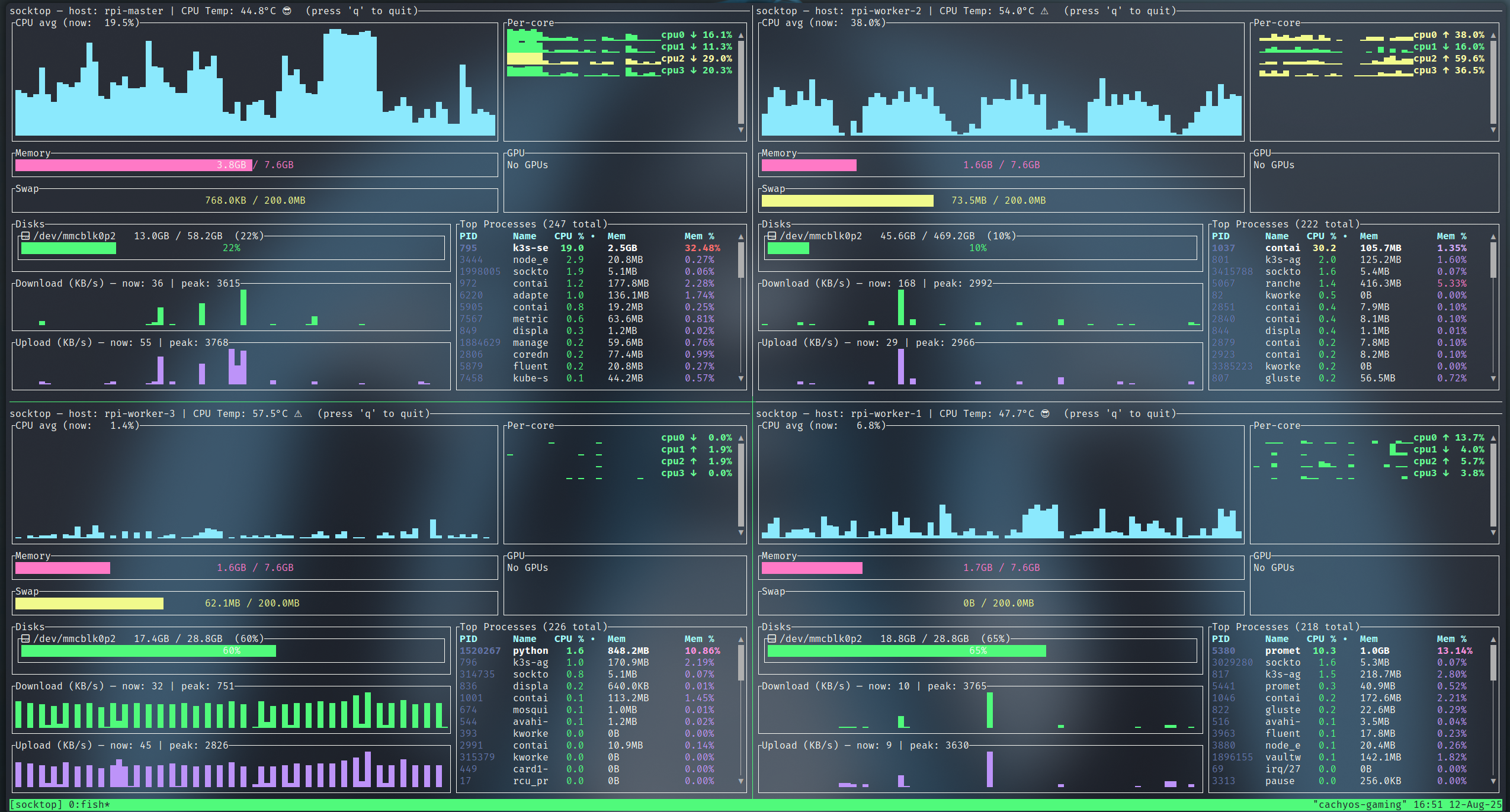
|
||||||
|
*monitoring 4 Raspberry Pis using Tmux*
|
||||||
|
|
||||||
|
## Prerequisites
|
||||||
|
|
||||||
|
Install tmux:
|
||||||
|
|
||||||
|
```bash
|
||||||
|
# Ubuntu/Debian
|
||||||
|
sudo apt-get install tmux
|
||||||
|
```
|
||||||
|
|
||||||
|
## Two panes (left/right)
|
||||||
|
|
||||||
|
This creates a session named "socktop", splits it horizontally, and starts two socktops.
|
||||||
|
|
||||||
|
```bash
|
||||||
|
tmux new-session -d -s socktop 'socktop ws://HOST1:3000/ws' \; \
|
||||||
|
split-window -h 'socktop ws://HOST2:3000/ws' \; \
|
||||||
|
select-layout even-horizontal \; \
|
||||||
|
attach
|
||||||
|
```
|
||||||
|
|
||||||
|
## Four panes (2x2 grid)
|
||||||
|
|
||||||
|
This creates a 2x2 grid with one socktop per pane.
|
||||||
|
|
||||||
|
```bash
|
||||||
|
tmux new-session -d -s socktop 'socktop ws://HOST1:3000/ws' \; \
|
||||||
|
split-window -h 'socktop ws://HOST2:3000/ws' \; \
|
||||||
|
select-pane -t 0 \; split-window -v 'socktop ws://HOST3:3000/ws' \; \
|
||||||
|
select-pane -t 1 \; split-window -v 'socktop ws://HOST4:3000/ws' \; \
|
||||||
|
select-layout tiled \; \
|
||||||
|
attach
|
||||||
|
```
|
||||||
|
|
||||||
|
## Tips
|
||||||
|
|
||||||
|
- Replace HOST1..HOST4 (and ports) with your targets
|
||||||
|
- Reattach later: `tmux attach -t socktop`
|
||||||
|
|
||||||
|
## Key bindings (defaults)
|
||||||
|
|
||||||
|
- Split left/right: `Ctrl-b %`
|
||||||
|
- Split top/bottom: `Ctrl-b "`
|
||||||
|
- Move between panes: `Ctrl-b` + Arrow keys
|
||||||
|
- Show pane numbers: `Ctrl-b q`
|
||||||
|
- Close a pane: `Ctrl-b x`
|
||||||
|
- Detach from session: `Ctrl-b d`
|
||||||
|
|
||||||
|
## More Info
|
||||||
|
|
||||||
|
For detailed tmux documentation, see the [tmux GitHub](https://github.com/tmux/tmux).
|
||||||
72
docs/src/advanced/zellij.md
Normal file
72
docs/src/advanced/zellij.md
Normal file
@ -0,0 +1,72 @@
|
|||||||
|
# Monitor Multiple Hosts with Zellij
|
||||||
|
|
||||||
|
Use Zellij to monitor multiple socktop instances in a single terminal.
|
||||||
|
|
||||||
|
## Installation
|
||||||
|
|
||||||
|
```bash
|
||||||
|
cargo install zellij
|
||||||
|
```
|
||||||
|
|
||||||
|
## Example Layout
|
||||||
|
|
||||||
|
Create `socktop-layout.kdl`:
|
||||||
|
|
||||||
|
```kdl
|
||||||
|
layout {
|
||||||
|
pane split_direction="vertical" {
|
||||||
|
pane command="socktop" {
|
||||||
|
args "-P" "rpi-master"
|
||||||
|
}
|
||||||
|
pane command="socktop" {
|
||||||
|
args "-P" "rpi-worker-1"
|
||||||
|
}
|
||||||
|
}
|
||||||
|
pane split_direction="vertical" {
|
||||||
|
pane command="socktop" {
|
||||||
|
args "-P" "rpi-worker-2"
|
||||||
|
}
|
||||||
|
pane command="socktop" {
|
||||||
|
args "-P" "rpi-worker-3"
|
||||||
|
}
|
||||||
|
}
|
||||||
|
}
|
||||||
|
```
|
||||||
|
|
||||||
|
Run it:
|
||||||
|
|
||||||
|
```bash
|
||||||
|
zellij --layout socktop-layout.kdl
|
||||||
|
```
|
||||||
|
|
||||||
|
## More Info
|
||||||
|
|
||||||
|
For detailed Zellij documentation, see [Zellij](https://zellij.dev/).
|
||||||
|
|
||||||
|
Create `~/.config/zellij/layouts/socktop-monitoring.kdl`:
|
||||||
|
|
||||||
|
```kdl
|
||||||
|
layout {
|
||||||
|
pane_template name="socktop_pane" {
|
||||||
|
command "socktop"
|
||||||
|
args "-P" "{profile}"
|
||||||
|
}
|
||||||
|
|
||||||
|
pane split_direction="vertical" {
|
||||||
|
pane split_direction="horizontal" {
|
||||||
|
socktop_pane profile="production-web"
|
||||||
|
socktop_pane profile="production-db"
|
||||||
|
}
|
||||||
|
pane split_direction="horizontal" {
|
||||||
|
socktop_pane profile="staging-web"
|
||||||
|
socktop_pane profile="staging-db"
|
||||||
|
}
|
||||||
|
}
|
||||||
|
}
|
||||||
|
```
|
||||||
|
|
||||||
|
### Use the Layout
|
||||||
|
|
||||||
|
```bash
|
||||||
|
zellij --layout socktop-monitoring
|
||||||
|
```
|
||||||
138
docs/src/installation/agent-service.md
Normal file
138
docs/src/installation/agent-service.md
Normal file
@ -0,0 +1,138 @@
|
|||||||
|
# Agent Service Setup
|
||||||
|
|
||||||
|
## APT Installation
|
||||||
|
|
||||||
|
If you installed via APT, the service is already configured:
|
||||||
|
|
||||||
|
```bash
|
||||||
|
sudo systemctl enable --now socktop-agent
|
||||||
|
```
|
||||||
|
|
||||||
|
## Cargo Installation
|
||||||
|
|
||||||
|
System-wide agent setup:
|
||||||
|
|
||||||
|
```bash
|
||||||
|
# If you installed with cargo, binaries are in ~/.cargo/bin
|
||||||
|
sudo install -o root -g root -m 0755 "$HOME/.cargo/bin/socktop_agent" /usr/local/bin/socktop_agent
|
||||||
|
|
||||||
|
# Install and enable the systemd service (example unit in docs/)
|
||||||
|
sudo install -o root -g root -m 0644 docs/socktop-agent.service /etc/systemd/system/socktop-agent.service
|
||||||
|
sudo systemctl daemon-reload
|
||||||
|
sudo systemctl enable --now socktop-agent
|
||||||
|
```
|
||||||
|
|
||||||
|
## Enable SSL
|
||||||
|
|
||||||
|
```bash
|
||||||
|
# Stop service
|
||||||
|
sudo systemctl stop socktop-agent
|
||||||
|
|
||||||
|
# Edit service to append SSL option and port
|
||||||
|
sudo nano /etc/systemd/system/socktop-agent.service
|
||||||
|
|
||||||
|
# Change ExecStart line to:
|
||||||
|
# ExecStart=/usr/local/bin/socktop_agent --enableSSL --port 8443
|
||||||
|
|
||||||
|
# Reload
|
||||||
|
sudo systemctl daemon-reload
|
||||||
|
|
||||||
|
# Restart
|
||||||
|
sudo systemctl start socktop-agent
|
||||||
|
|
||||||
|
# Check logs for certificate location
|
||||||
|
sudo journalctl -u socktop-agent -f
|
||||||
|
|
||||||
|
# Example output:
|
||||||
|
# Aug 22 22:25:26 rpi-master socktop_agent[2913998]: socktop_agent: generated self-signed TLS certificate at /var/lib/socktop/.config/socktop_agent/tls/cert.pem
|
||||||
|
```
|
||||||
|
|
||||||
|
## Configuration
|
||||||
|
|
||||||
|
Agent configuration via command-line flags or environment variables:
|
||||||
|
|
||||||
|
Port:
|
||||||
|
- Flag: `--port 8080` or `-p 8080`
|
||||||
|
- Positional: `socktop_agent 8080`
|
||||||
|
- Env: `SOCKTOP_PORT=8080`
|
||||||
|
|
||||||
|
TLS (self-signed):
|
||||||
|
- Enable: `--enableSSL`
|
||||||
|
- Default TLS port: 8443 (override with `--port/-p`)
|
||||||
|
- Certificate/Key location (created on first TLS run):
|
||||||
|
- Linux (XDG): `$XDG_CONFIG_HOME/socktop_agent/tls/{cert.pem,key.pem}` (defaults to `~/.config`)
|
||||||
|
- The agent prints these paths on creation
|
||||||
|
```
|
||||||
|
|
||||||
|
Auth token (optional): `SOCKTOP_TOKEN=changeme`
|
||||||
|
|
||||||
|
Disable GPU metrics: `SOCKTOP_AGENT_GPU=0`
|
||||||
|
|
||||||
|
Disable CPU temperature: `SOCKTOP_AGENT_TEMP=0`
|
||||||
|
|
||||||
|
## Managing the Service
|
||||||
|
|
||||||
|
### Basic Commands
|
||||||
|
|
||||||
|
```bash
|
||||||
|
# Start the service
|
||||||
|
sudo systemctl start socktop-agent
|
||||||
|
|
||||||
|
# Stop the service
|
||||||
|
sudo systemctl stop socktop-agent
|
||||||
|
|
||||||
|
# Restart the service
|
||||||
|
sudo systemctl restart socktop-agent
|
||||||
|
|
||||||
|
# Reload configuration (if supported)
|
||||||
|
sudo systemctl reload socktop-agent
|
||||||
|
|
||||||
|
# View service status
|
||||||
|
sudo systemctl status socktop-agent
|
||||||
|
|
||||||
|
# Enable auto-start on boot
|
||||||
|
sudo systemctl enable socktop-agent
|
||||||
|
|
||||||
|
# Disable auto-start on boot
|
||||||
|
sudo systemctl disable socktop-agent
|
||||||
|
|
||||||
|
# Enable and start in one command
|
||||||
|
sudo systemctl enable --now socktop-agent
|
||||||
|
```
|
||||||
|
|
||||||
|
### Logs
|
||||||
|
|
||||||
|
```bash
|
||||||
|
# Follow live logs
|
||||||
|
sudo journalctl -u socktop-agent -f
|
||||||
|
|
||||||
|
# View recent logs
|
||||||
|
sudo journalctl -u socktop-agent -n 50
|
||||||
|
```
|
||||||
|
|
||||||
|
### Status
|
||||||
|
|
||||||
|
```bash
|
||||||
|
# Check status
|
||||||
|
sudo systemctl status socktop-agent --no-pager
|
||||||
|
|
||||||
|
# Is the service running?
|
||||||
|
sudo systemctl is-active socktop-agent
|
||||||
|
```
|
||||||
|
|
||||||
|
## Updating
|
||||||
|
|
||||||
|
```bash
|
||||||
|
# On the server running the agent
|
||||||
|
cargo install socktop_agent --force
|
||||||
|
sudo systemctl stop socktop-agent
|
||||||
|
sudo install -o root -g root -m 0755 "$HOME/.cargo/bin/socktop_agent" /usr/local/bin/socktop_agent
|
||||||
|
# If you changed the unit file:
|
||||||
|
# sudo install -o root -g root -m 0644 docs/socktop-agent.service /etc/systemd/system/socktop-agent.service
|
||||||
|
# sudo systemctl daemon-reload
|
||||||
|
sudo systemctl start socktop-agent
|
||||||
|
sudo systemctl status socktop-agent --no-pager
|
||||||
|
```
|
||||||
|
|
||||||
|
Tip: If only the binary changed, restart is enough. If the unit file changed, run `sudo systemctl daemon-reload`.
|
||||||
|
```
|
||||||
105
docs/src/installation/apt.md
Normal file
105
docs/src/installation/apt.md
Normal file
@ -0,0 +1,105 @@
|
|||||||
|
# Install via APT
|
||||||
|
|
||||||
|
The easiest way to install socktop on Debian and Ubuntu systems is through the official APT repository.
|
||||||
|
|
||||||
|
## Supported Systems
|
||||||
|
|
||||||
|
The APT repository supports:
|
||||||
|
|
||||||
|
- **Debian** 10+ (Buster and newer)
|
||||||
|
- **Ubuntu** 20.04+ (Focal and newer)
|
||||||
|
- **Raspberry Pi OS** (Debian-based)
|
||||||
|
- **Other Debian derivatives**
|
||||||
|
|
||||||
|
### Supported Architectures
|
||||||
|
|
||||||
|
- **amd64** (x86_64)
|
||||||
|
- **arm64** (aarch64)
|
||||||
|
- **armhf** (ARMv7)
|
||||||
|
- **riscv64** (experimental)
|
||||||
|
|
||||||
|
## Installation
|
||||||
|
|
||||||
|
### Step 1: Add GPG Signing Key
|
||||||
|
|
||||||
|
First, add the repository's GPG signing key to verify package authenticity:
|
||||||
|
|
||||||
|
```bash
|
||||||
|
curl -fsSL https://jasonwitty.github.io/socktop/KEY.gpg | \
|
||||||
|
sudo gpg --dearmor -o /usr/share/keyrings/socktop-archive-keyring.gpg
|
||||||
|
```
|
||||||
|
|
||||||
|
This ensures that packages are cryptographically verified before installation.
|
||||||
|
|
||||||
|
### Step 2: Add APT Repository
|
||||||
|
|
||||||
|
Add the socktop repository to your system's sources list:
|
||||||
|
|
||||||
|
```bash
|
||||||
|
echo "deb [signed-by=/usr/share/keyrings/socktop-archive-keyring.gpg] https://jasonwitty.github.io/socktop stable main" | \
|
||||||
|
sudo tee /etc/apt/sources.list.d/socktop.list
|
||||||
|
```
|
||||||
|
|
||||||
|
### Step 3: Update Package Lists
|
||||||
|
|
||||||
|
Refresh your package cache to include the new repository:
|
||||||
|
|
||||||
|
```bash
|
||||||
|
sudo apt update
|
||||||
|
```
|
||||||
|
|
||||||
|
### Step 4: Install Packages
|
||||||
|
|
||||||
|
Install socktop and the agent:
|
||||||
|
|
||||||
|
```bash
|
||||||
|
# Install both client and agent
|
||||||
|
sudo apt install socktop socktop-agent
|
||||||
|
|
||||||
|
# Or install individually
|
||||||
|
sudo apt install socktop # TUI client only
|
||||||
|
sudo apt install socktop-agent # Agent only
|
||||||
|
```
|
||||||
|
|
||||||
|
## Automatic Service Setup
|
||||||
|
|
||||||
|
The APT package automatically configures the agent as a systemd service, but it's **not enabled by default**.
|
||||||
|
|
||||||
|
### Enable and Start the Agent
|
||||||
|
|
||||||
|
```bash
|
||||||
|
# Enable the service to start at boot
|
||||||
|
sudo systemctl enable socktop-agent
|
||||||
|
|
||||||
|
# Start the service now
|
||||||
|
sudo systemctl start socktop-agent
|
||||||
|
|
||||||
|
# Or do both in one command
|
||||||
|
sudo systemctl enable --now socktop-agent
|
||||||
|
```
|
||||||
|
|
||||||
|
### Check Service Status
|
||||||
|
|
||||||
|
```bash
|
||||||
|
# View service status
|
||||||
|
sudo systemctl status socktop-agent
|
||||||
|
|
||||||
|
# View service logs
|
||||||
|
sudo journalctl -u socktop-agent -f
|
||||||
|
|
||||||
|
# View recent logs
|
||||||
|
sudo journalctl -u socktop-agent -n 50
|
||||||
|
```
|
||||||
|
|
||||||
|
### Control the Service
|
||||||
|
|
||||||
|
```bash
|
||||||
|
# Stop the service
|
||||||
|
sudo systemctl stop socktop-agent
|
||||||
|
|
||||||
|
# Restart the service
|
||||||
|
sudo systemctl restart socktop-agent
|
||||||
|
|
||||||
|
# Disable auto-start
|
||||||
|
sudo systemctl disable socktop-agent
|
||||||
|
```
|
||||||
138
docs/src/installation/cargo.md
Normal file
138
docs/src/installation/cargo.md
Normal file
@ -0,0 +1,138 @@
|
|||||||
|
# Install via Cargo
|
||||||
|
|
||||||
|
Installing socktop via Cargo gives you access to the latest version and works on any Linux distribution with Rust installed.
|
||||||
|
|
||||||
|
## Prerequisites
|
||||||
|
|
||||||
|
Before installing via Cargo, ensure you have:
|
||||||
|
|
||||||
|
- **Rust 1.70 or newer** - Install via [rustup](https://rustup.rs/)
|
||||||
|
- **Build dependencies** - See [Prerequisites](./prerequisites.md) for details
|
||||||
|
- **GPU support libraries** - Required on all systems:
|
||||||
|
```bash
|
||||||
|
sudo apt install libdrm-dev libdrm-amdgpu1
|
||||||
|
```
|
||||||
|
|
||||||
|
## Installation
|
||||||
|
|
||||||
|
### Installing the TUI Client
|
||||||
|
|
||||||
|
```bash
|
||||||
|
cargo install socktop
|
||||||
|
```
|
||||||
|
|
||||||
|
This will download, compile, and install the `socktop` binary to `~/.cargo/bin/`. Make sure this directory is in your `PATH`.
|
||||||
|
|
||||||
|
### Installing the Agent
|
||||||
|
|
||||||
|
```bash
|
||||||
|
cargo install socktop-agent
|
||||||
|
```
|
||||||
|
|
||||||
|
This installs the `socktop_agent` binary to `~/.cargo/bin/`.
|
||||||
|
|
||||||
|
### Installing Both (Recommended)
|
||||||
|
|
||||||
|
```bash
|
||||||
|
cargo install socktop socktop-agent
|
||||||
|
```
|
||||||
|
|
||||||
|
## Verify Installation
|
||||||
|
|
||||||
|
Check that the binaries are installed correctly:
|
||||||
|
|
||||||
|
```bash
|
||||||
|
# Check socktop client
|
||||||
|
socktop --version
|
||||||
|
|
||||||
|
# Check socktop agent
|
||||||
|
socktop_agent --version
|
||||||
|
```
|
||||||
|
|
||||||
|
You should see output like:
|
||||||
|
```
|
||||||
|
socktop 1.50.2
|
||||||
|
```
|
||||||
|
|
||||||
|
## First Run
|
||||||
|
|
||||||
|
### Start the Agent
|
||||||
|
|
||||||
|
Start the agent in a separate terminal or background process:
|
||||||
|
|
||||||
|
```bash
|
||||||
|
# Run in foreground (for testing)
|
||||||
|
socktop_agent
|
||||||
|
|
||||||
|
# Run in background
|
||||||
|
socktop_agent &
|
||||||
|
|
||||||
|
# Or with custom options
|
||||||
|
socktop_agent --port 3000 --host 0.0.0.0
|
||||||
|
```
|
||||||
|
|
||||||
|
### Connect with the Client
|
||||||
|
|
||||||
|
In another terminal, connect to the agent:
|
||||||
|
|
||||||
|
```bash
|
||||||
|
# Monitor local system
|
||||||
|
socktop
|
||||||
|
|
||||||
|
# Or explicitly specify the WebSocket URL
|
||||||
|
socktop ws://localhost:3000
|
||||||
|
```
|
||||||
|
|
||||||
|
## Configuration
|
||||||
|
|
||||||
|
### Agent Configuration
|
||||||
|
|
||||||
|
The agent accepts the following command-line arguments:
|
||||||
|
|
||||||
|
```bash
|
||||||
|
socktop_agent --help
|
||||||
|
```
|
||||||
|
|
||||||
|
Common options:
|
||||||
|
- `--port <PORT>` - Port to listen on (default: 3000)
|
||||||
|
- `--host <HOST>` - Host/IP to bind to (default: 0.0.0.0)
|
||||||
|
- `--token <TOKEN>` - Authentication token (optional)
|
||||||
|
- `--tls-cert <CERT>` - TLS certificate path (optional)
|
||||||
|
- `--tls-key <KEY>` - TLS private key path (optional)
|
||||||
|
|
||||||
|
Example with custom configuration:
|
||||||
|
```bash
|
||||||
|
socktop_agent --port 8080 --token mySecretToken123
|
||||||
|
```
|
||||||
|
|
||||||
|
### Client Configuration
|
||||||
|
|
||||||
|
The client can connect using various methods:
|
||||||
|
|
||||||
|
```bash
|
||||||
|
# Local connection
|
||||||
|
socktop
|
||||||
|
|
||||||
|
# Remote connection
|
||||||
|
socktop ws://192.168.1.100:3000
|
||||||
|
|
||||||
|
# Secure connection with TLS
|
||||||
|
socktop wss://secure-host:3000
|
||||||
|
|
||||||
|
# Using a connection profile
|
||||||
|
socktop -P my-server
|
||||||
|
```
|
||||||
|
|
||||||
|
See [Configuration](../usage/configuration.md) for details on setting up profiles.
|
||||||
|
|
||||||
|
## System-wide agent (Linux)
|
||||||
|
|
||||||
|
```bash
|
||||||
|
# If you installed with cargo, binaries are in ~/.cargo/bin
|
||||||
|
sudo install -o root -g root -m 0755 "$HOME/.cargo/bin/socktop_agent" /usr/local/bin/socktop_agent
|
||||||
|
|
||||||
|
# Install and enable the systemd service (example unit in docs/)
|
||||||
|
sudo install -o root -g root -m 0644 docs/socktop-agent.service /etc/systemd/system/socktop-agent.service
|
||||||
|
sudo systemctl daemon-reload
|
||||||
|
sudo systemctl enable --now socktop-agent
|
||||||
|
```
|
||||||
62
docs/src/installation/prerequisites.md
Normal file
62
docs/src/installation/prerequisites.md
Normal file
@ -0,0 +1,62 @@
|
|||||||
|
# Prerequisites
|
||||||
|
|
||||||
|
## Supported Operating Systems
|
||||||
|
|
||||||
|
- **Debian** 10+
|
||||||
|
- **Ubuntu** 20.04+
|
||||||
|
- **Arch Linux** (latest)
|
||||||
|
- **Fedora** 35+
|
||||||
|
- **Raspberry Pi OS**
|
||||||
|
- Other Linux distributions with kernel 4.15+
|
||||||
|
- Windows 10+ (Binaries available in build artifacts)
|
||||||
|
|
||||||
|
#### Supported Architectures
|
||||||
|
|
||||||
|
- **amd64** (x86_64)
|
||||||
|
- **arm64** (aarch64) - Raspberry Pi 4, AWS Graviton
|
||||||
|
- **armhf** (ARMv7) - Raspberry Pi 3
|
||||||
|
- **riscv64** (experimental)
|
||||||
|
|
||||||
|
## Software Dependencies
|
||||||
|
|
||||||
|
GPU support requires additional libraries:
|
||||||
|
|
||||||
|
```bash
|
||||||
|
sudo apt update
|
||||||
|
sudo apt install libdrm-dev libdrm-amdgpu1
|
||||||
|
```
|
||||||
|
|
||||||
|
### For Cargo Installation
|
||||||
|
|
||||||
|
#### 1. Rust Toolchain
|
||||||
|
|
||||||
|
Rust 1.70+ required.
|
||||||
|
|
||||||
|
```bash
|
||||||
|
# Install Rust via rustup (recommended)
|
||||||
|
curl --proto '=https' --tlsv1.2 -sSf https://sh.rustup.rs | sh
|
||||||
|
|
||||||
|
# Verify installation
|
||||||
|
rustc --version
|
||||||
|
cargo --version
|
||||||
|
|
||||||
|
# Update if needed
|
||||||
|
rustup update
|
||||||
|
```
|
||||||
|
|
||||||
|
#### 2. Build Dependencies
|
||||||
|
|
||||||
|
**Debian/Ubuntu:**
|
||||||
|
```bash
|
||||||
|
sudo apt install build-essential pkg-config libssl-dev libdrm-dev libdrm-amdgpu1
|
||||||
|
```
|
||||||
|
|
||||||
|
**Fedora:**
|
||||||
|
```bash
|
||||||
|
sudo dnf install gcc pkg-config openssl-devel
|
||||||
|
```
|
||||||
|
|
||||||
|
**Arch Linux:**
|
||||||
|
```bash
|
||||||
|
sudo pacman -S base-devel openssl
|
||||||
|
```
|
||||||
110
docs/src/installation/quick-start.md
Normal file
110
docs/src/installation/quick-start.md
Normal file
@ -0,0 +1,110 @@
|
|||||||
|
# Quick Start
|
||||||
|
|
||||||
|
## Installation Methods
|
||||||
|
|
||||||
|
socktop can be installed via APT (Debian/Ubuntu), Cargo, or built from source.
|
||||||
|
|
||||||
|
## Option 1: APT Installation (Recommended for Debian/Ubuntu)
|
||||||
|
|
||||||
|
Debian/Ubuntu installation:
|
||||||
|
|
||||||
|
```bash
|
||||||
|
# Add the repository's GPG signing key
|
||||||
|
curl -fsSL https://jasonwitty.github.io/socktop/KEY.gpg | \
|
||||||
|
sudo gpg --dearmor -o /usr/share/keyrings/socktop-archive-keyring.gpg
|
||||||
|
|
||||||
|
# Add the APT repository
|
||||||
|
echo "deb [signed-by=/usr/share/keyrings/socktop-archive-keyring.gpg] https://jasonwitty.github.io/socktop stable main" | \
|
||||||
|
sudo tee /etc/apt/sources.list.d/socktop.list
|
||||||
|
|
||||||
|
# Install socktop and the agent
|
||||||
|
sudo apt install socktop socktop-agent
|
||||||
|
|
||||||
|
# Enable the agent service
|
||||||
|
sudo systemctl enable --now socktop-agent
|
||||||
|
```
|
||||||
|
|
||||||
|
Run `socktop` to monitor your local system or connect to remote agents.
|
||||||
|
|
||||||
|
## Option 2: Cargo Installation
|
||||||
|
|
||||||
|
Install from crates.io:
|
||||||
|
|
||||||
|
```bash
|
||||||
|
# Install GPU support libraries (required)
|
||||||
|
sudo apt install libdrm-dev libdrm-amdgpu1
|
||||||
|
|
||||||
|
# Install the TUI client
|
||||||
|
cargo install socktop
|
||||||
|
|
||||||
|
# Install the agent
|
||||||
|
cargo install socktop-agent
|
||||||
|
|
||||||
|
# Run the agent manually or set up as a service (see Agent Service Setup)
|
||||||
|
socktop_agent
|
||||||
|
```
|
||||||
|
|
||||||
|
## Demo Mode
|
||||||
|
|
||||||
|
Test socktop without setting up an agent:
|
||||||
|
|
||||||
|
```bash
|
||||||
|
# If you have socktop installed
|
||||||
|
socktop --demo
|
||||||
|
|
||||||
|
# Or just run socktop with no arguments and select 'demo' from the interactive menu
|
||||||
|
socktop
|
||||||
|
```
|
||||||
|
|
||||||
|
This spins up a temporary local agent on port 3231, connects to it, and stops when you quit (Ctrl-C or `q`).
|
||||||
|
|
||||||
|
## Usage
|
||||||
|
|
||||||
|
```bash
|
||||||
|
# Quick demo (no agent setup needed)
|
||||||
|
socktop --demo
|
||||||
|
|
||||||
|
# Monitor your local system (requires agent running)
|
||||||
|
socktop
|
||||||
|
|
||||||
|
# Or connect to a remote agent
|
||||||
|
socktop ws://hostname:3000/ws
|
||||||
|
```
|
||||||
|
|
||||||
|
The TUI displays system metrics in real-time.
|
||||||
|
|
||||||
|
## Interactive Profile Selection
|
||||||
|
|
||||||
|
If you run `socktop` with no arguments, you'll see an interactive menu:
|
||||||
|
|
||||||
|
```
|
||||||
|
Select profile:
|
||||||
|
1. prod
|
||||||
|
2. dev-server
|
||||||
|
3. demo
|
||||||
|
Enter number (or blank to abort):
|
||||||
|
```
|
||||||
|
|
||||||
|
- Choose a numbered profile to connect to a saved server
|
||||||
|
- Select `demo` to launch demo mode (always available)
|
||||||
|
- Press Enter on blank to abort
|
||||||
|
|
||||||
|
## Monitoring Remote Systems
|
||||||
|
|
||||||
|
To monitor a remote system:
|
||||||
|
|
||||||
|
1. **Install the agent** on the target system (using APT or Cargo)
|
||||||
|
2. **Start the agent** on the remote system:
|
||||||
|
```bash
|
||||||
|
# Via systemd (APT install)
|
||||||
|
sudo systemctl start socktop-agent
|
||||||
|
|
||||||
|
# Or manually
|
||||||
|
socktop_agent
|
||||||
|
```
|
||||||
|
3. **Connect from your client**:
|
||||||
|
```bash
|
||||||
|
socktop ws://remote-hostname:3000/ws
|
||||||
|
```
|
||||||
|
|
||||||
|
Save frequently used connections as profiles. See [Connection Profiles](../usage/connection-profiles.md).
|
||||||
54
docs/src/installation/upgrading.md
Normal file
54
docs/src/installation/upgrading.md
Normal file
@ -0,0 +1,54 @@
|
|||||||
|
# Upgrading
|
||||||
|
|
||||||
|
This guide covers upgrading socktop and socktop-agent to newer versions.
|
||||||
|
|
||||||
|
## Upgrading via APT
|
||||||
|
|
||||||
|
### Standard Upgrade
|
||||||
|
|
||||||
|
The easiest method - upgrade through normal system updates:
|
||||||
|
|
||||||
|
```bash
|
||||||
|
# Update package lists
|
||||||
|
sudo apt update
|
||||||
|
|
||||||
|
# Upgrade socktop packages
|
||||||
|
sudo apt upgrade socktop socktop-agent
|
||||||
|
|
||||||
|
# Or upgrade entire system
|
||||||
|
sudo apt upgrade
|
||||||
|
```
|
||||||
|
|
||||||
|
The service will automatically restart after the upgrade.
|
||||||
|
|
||||||
|
### Verify Upgrade
|
||||||
|
|
||||||
|
```bash
|
||||||
|
# Check new versions
|
||||||
|
socktop --version
|
||||||
|
socktop_agent --version
|
||||||
|
|
||||||
|
# Check service status
|
||||||
|
sudo systemctl status socktop-agent
|
||||||
|
|
||||||
|
## Upgrading via Cargo
|
||||||
|
|
||||||
|
### Update from crates.io
|
||||||
|
|
||||||
|
```bash
|
||||||
|
# Update client
|
||||||
|
cargo install socktop --force
|
||||||
|
|
||||||
|
# Update agent
|
||||||
|
# on the server running the agent
|
||||||
|
cargo install socktop_agent --force
|
||||||
|
sudo systemctl stop socktop-agent
|
||||||
|
sudo install -o root -g root -m 0755 "$HOME/.cargo/bin/socktop_agent" /usr/local/bin/socktop_agent
|
||||||
|
# if you changed the unit file:
|
||||||
|
# sudo install -o root -g root -m 0644 docs/socktop-agent.service /etc/systemd/system/socktop-agent.service
|
||||||
|
# sudo systemctl daemon-reload
|
||||||
|
sudo systemctl start socktop-agent
|
||||||
|
sudo systemctl status socktop-agent --no-pager
|
||||||
|
# logs:
|
||||||
|
# journalctl -u socktop-agent -f
|
||||||
|
```
|
||||||
82
docs/src/introduction.md
Normal file
82
docs/src/introduction.md
Normal file
@ -0,0 +1,82 @@
|
|||||||
|
# Introduction
|
||||||
|
|
||||||
|
|
||||||
|
|
||||||
|
**socktop** is a TUI-first remote system monitor built with Rust. Two components:
|
||||||
|
|
||||||
|
- **socktop (TUI Client)** - A terminal-based user interface for viewing system metrics
|
||||||
|
- **socktop-agent** - A lightweight background service that collects and serves system metrics over WebSocket
|
||||||
|
|
||||||
|
## Features
|
||||||
|
|
||||||
|
- TUI built with ratatui, Catppuccin Frappe theme
|
||||||
|
- CPU: overall sparkline + per-core bars, accurate per-process CPU% (normalized 0-100%)
|
||||||
|
- Memory/Swap gauges
|
||||||
|
- Disks: per-device usage
|
||||||
|
- Network: per-interface throughput with sparklines
|
||||||
|
- Temperatures: CPU (optional)
|
||||||
|
- Top processes (top 50): sortable by CPU% or memory, scrollable
|
||||||
|
- Optional GPU metrics
|
||||||
|
- Remote monitoring via WebSocket (JSON over WS)
|
||||||
|
- Optional WSS (TLS): agent auto-generates self-signed cert on first run, client pins cert via --tls-ca/-t
|
||||||
|
- Optional auth token
|
||||||
|
- Connection profiles for quick access to saved hosts
|
||||||
|
- Built-in demo mode (--demo)
|
||||||
|
|
||||||
|
## Architecture
|
||||||
|
|
||||||
|
socktop uses a client-server architecture:
|
||||||
|
|
||||||
|
```
|
||||||
|
┌─────────────────┐ WebSocket ┌──────────────────┐
|
||||||
|
│ │ ◄────────────────────────► │ │
|
||||||
|
│ socktop (TUI) │ (with TLS optional) │ socktop-agent │
|
||||||
|
│ Client │ │ (Background) │
|
||||||
|
│ │ │ │
|
||||||
|
└─────────────────┘ └──────────────────┘
|
||||||
|
│ │
|
||||||
|
│ │
|
||||||
|
▼ ▼
|
||||||
|
User Terminal System Metrics
|
||||||
|
Local or Remote (sysinfo crate)
|
||||||
|
```
|
||||||
|
|
||||||
|
The agent runs on each system you want to monitor, collecting metrics using the `sysinfo` crate. The client connects to one or more agents to display real-time system information.
|
||||||
|
|
||||||
|
## Quick Demo
|
||||||
|
|
||||||
|
```bash
|
||||||
|
socktop --demo
|
||||||
|
```
|
||||||
|
|
||||||
|
Spins up a temporary local agent on port 3231 and connects to it. Stops automatically when you quit.
|
||||||
|
|
||||||
|
## Use Cases
|
||||||
|
|
||||||
|
- Remote server monitoring
|
||||||
|
- Homelab / Raspberry Pi cluster monitoring
|
||||||
|
- Development / testing resource usage
|
||||||
|
- Custom dashboards via `socktop_connector` library
|
||||||
|
|
||||||
|
## Project Status
|
||||||
|
|
||||||
|
socktop is actively maintained and used in production environments. The project follows semantic versioning and maintains backward compatibility within major versions.
|
||||||
|
|
||||||
|
- **Current Version**: 1.50.x
|
||||||
|
- **Minimum Rust Version**: 1.70+
|
||||||
|
- **Supported Platforms**: Linux (amd64, arm64, armhf, riscv64)
|
||||||
|
- **License**: MIT
|
||||||
|
|
||||||
|
## Community and Support
|
||||||
|
|
||||||
|
- **GitHub Repository**: [https://github.com/jasonwitty/socktop](https://github.com/jasonwitty/socktop)
|
||||||
|
- **Issue Tracker**: Report bugs and request features on GitHub
|
||||||
|
- **crates.io**:
|
||||||
|
- [socktop](https://crates.io/crates/socktop) - TUI client
|
||||||
|
- [socktop-agent](https://crates.io/crates/socktop-agent) - Background agent
|
||||||
|
- [socktop-connector](https://crates.io/crates/socktop-connector) - Library for integrations
|
||||||
|
- **APT Repository**: [https://jasonwitty.github.io/socktop/](https://jasonwitty.github.io/socktop/)
|
||||||
|
|
||||||
|
## Next Steps
|
||||||
|
|
||||||
|
See [Quick Start](./installation/quick-start.md) for installation.
|
||||||
BIN
docs/src/logo.png
Normal file
BIN
docs/src/logo.png
Normal file

Binary file not shown.
|
After Width: | Height: | Size: 1.2 MiB |
116
docs/src/security/tls.md
Normal file
116
docs/src/security/tls.md
Normal file
@ -0,0 +1,116 @@
|
|||||||
|
# TLS Configuration
|
||||||
|
|
||||||
|
Secure your socktop agent connections with TLS/SSL encryption.
|
||||||
|
### Enable TLS (Auto-Generated Certificate)
|
||||||
|
|
||||||
|
The agent automatically generates a self-signed certificate on first run when you enable TLS:
|
||||||
|
|
||||||
|
```bash
|
||||||
|
# The agent will auto-generate cert and key on first TLS run
|
||||||
|
socktop_agent --enableSSL --port 8443
|
||||||
|
```
|
||||||
|
|
||||||
|
The certificate is stored at:
|
||||||
|
- **Linux (XDG)**: `$XDG_CONFIG_HOME/socktop_agent/tls/cert.pem` (defaults to `~/.config/socktop_agent/tls/`)
|
||||||
|
- The agent prints the certificate location on first run
|
||||||
|
|
||||||
|
**Example output:**
|
||||||
|
```
|
||||||
|
socktop_agent: generated self-signed TLS certificate at /home/user/.config/socktop_agent/tls/cert.pem
|
||||||
|
```
|
||||||
|
|
||||||
|
**Optional: Custom SANs (Subject Alternative Names)**
|
||||||
|
|
||||||
|
To include additional IPs or hostnames in the auto-generated certificate:
|
||||||
|
|
||||||
|
```bash
|
||||||
|
SOCKTOP_AGENT_EXTRA_SANS="192.168.1.101,myhost.internal" socktop_agent --enableSSL --port 8443
|
||||||
|
```
|
||||||
|
|
||||||
|
This prevents `NotValidForName` errors when connecting via IPs not in the default SAN list.
|
||||||
|
|
||||||
|
### Systemd Service with TLS
|
||||||
|
|
||||||
|
Edit `/etc/systemd/system/socktop-agent.service`:
|
||||||
|
|
||||||
|
```ini
|
||||||
|
[Service]
|
||||||
|
ExecStart=/usr/local/bin/socktop_agent --enableSSL --port 8443
|
||||||
|
```
|
||||||
|
|
||||||
|
Reload and restart:
|
||||||
|
|
||||||
|
```bash
|
||||||
|
sudo systemctl daemon-reload
|
||||||
|
sudo systemctl restart socktop-agent
|
||||||
|
|
||||||
|
# Check logs for certificate location
|
||||||
|
sudo journalctl -u socktop-agent -f
|
||||||
|
```
|
||||||
|
|
||||||
|
### Connect with Client
|
||||||
|
|
||||||
|
Copy the auto-generated certificate from the agent to your client machine:
|
||||||
|
|
||||||
|
```bash
|
||||||
|
# Copy certificate from agent host
|
||||||
|
scp user@agent-host:~/.config/socktop_agent/tls/cert.pem ~/socktop-agent-cert.pem
|
||||||
|
```
|
||||||
|
|
||||||
|
Connect with certificate pinning:
|
||||||
|
|
||||||
|
```bash
|
||||||
|
# Connect with TLS and pin the server certificate
|
||||||
|
socktop --tls-ca ~/socktop-agent-cert.pem wss://hostname:8443/ws
|
||||||
|
|
||||||
|
# Short form
|
||||||
|
socktop -t ~/socktop-agent-cert.pem wss://hostname:8443/ws
|
||||||
|
```
|
||||||
|
|
||||||
|
**Note:** Providing `--tls-ca/-t` automatically upgrades `ws://` to `wss://` if you forget the protocol.
|
||||||
|
|
||||||
|
|
||||||
|
### Example Profile with SSL
|
||||||
|
|
||||||
|
```bash
|
||||||
|
socktop wss://server:3000
|
||||||
|
```
|
||||||
|
|
||||||
|
Profile:
|
||||||
|
|
||||||
|
```json
|
||||||
|
File: /home/jasonw/.config/socktop/profiles.json
|
||||||
|
{
|
||||||
|
"profiles": {
|
||||||
|
"local": {
|
||||||
|
"url": "ws://127.0.0.1:3000/ws"
|
||||||
|
},
|
||||||
|
"rpi-master": {
|
||||||
|
"url": "wss://rpi-master:8443/ws",
|
||||||
|
"tls_ca": "/home/jasonw/.config/socktop/rpi-master.pem",
|
||||||
|
"metrics_interval_ms": 1000,
|
||||||
|
"processes_interval_ms": 5000
|
||||||
|
},
|
||||||
|
"rpi-worker-1": {
|
||||||
|
"url": "wss://192.168.1.102:8443/ws",
|
||||||
|
"tls_ca": "/home/jasonw/.config/socktop/rpi-worker-1.pem",
|
||||||
|
"metrics_interval_ms": 1000,
|
||||||
|
"processes_interval_ms": 5000
|
||||||
|
},
|
||||||
|
"rpi-worker-2": {
|
||||||
|
"url": "ws://192.168.1.103:8443/ws",
|
||||||
|
"tls_ca": "/home/jasonw/.config/socktop/rpi-worker-2.pem",
|
||||||
|
"metrics_interval_ms": 1000,
|
||||||
|
"processes_interval_ms": 5000
|
||||||
|
},
|
||||||
|
"rpi-worker-3": {
|
||||||
|
"url": "ws://192.168.1.104:8443/ws",
|
||||||
|
"tls_ca": "/home/jasonw/.config/socktop/rpi-worker-3.pem",
|
||||||
|
"metrics_interval_ms": 1000,
|
||||||
|
"processes_interval_ms": 5000
|
||||||
|
}
|
||||||
|
},
|
||||||
|
"version": 0
|
||||||
|
}
|
||||||
|
|
||||||
|
```
|
||||||
99
docs/src/security/token.md
Normal file
99
docs/src/security/token.md
Normal file
@ -0,0 +1,99 @@
|
|||||||
|
# Authentication Token
|
||||||
|
|
||||||
|
This guide covers token-based authentication for securing socktop agent connections.
|
||||||
|
|
||||||
|
- **Access Control** - Only authorized clients can connect
|
||||||
|
- **Security** - Prevent unauthorized monitoring of your systems
|
||||||
|
- **Auditability** - Track which tokens are in use
|
||||||
|
- **Flexibility** - Revoke and rotate tokens as needed
|
||||||
|
|
||||||
|
## Configuring Token Authentication
|
||||||
|
|
||||||
|
### Agent Configuration
|
||||||
|
|
||||||
|
#### APT Installation
|
||||||
|
|
||||||
|
Edit `/etc/default/socktop-agent`:
|
||||||
|
|
||||||
|
```bash
|
||||||
|
sudo nano /etc/default/socktop-agent
|
||||||
|
```
|
||||||
|
|
||||||
|
Add your token:
|
||||||
|
|
||||||
|
```bash
|
||||||
|
# Authentication token
|
||||||
|
TOKEN=7KJ9m3LnP4qR8sT2vW5xY6zA1bC3dE4fG7hI9jK0lM8=
|
||||||
|
```
|
||||||
|
|
||||||
|
Restart the service:
|
||||||
|
|
||||||
|
```bash
|
||||||
|
sudo systemctl restart socktop-agent
|
||||||
|
```
|
||||||
|
|
||||||
|
#### Cargo Installation
|
||||||
|
|
||||||
|
Start the agent with the token:
|
||||||
|
|
||||||
|
```bash
|
||||||
|
socktop_agent --token "7KJ9m3LnP4qR8sT2vW5xY6zA1bC3dE4fG7hI9jK0lM8="
|
||||||
|
```
|
||||||
|
|
||||||
|
Or with systemd service:
|
||||||
|
|
||||||
|
```bash
|
||||||
|
sudo systemctl edit socktop-agent
|
||||||
|
```
|
||||||
|
|
||||||
|
Add environment variable:
|
||||||
|
|
||||||
|
```ini
|
||||||
|
[Service]
|
||||||
|
Environment="TOKEN=7KJ9m3LnP4qR8sT2vW5xY6zA1bC3dE4fG7hI9jK0lM8="
|
||||||
|
```
|
||||||
|
|
||||||
|
```bash
|
||||||
|
sudo systemctl daemon-reload
|
||||||
|
sudo systemctl restart socktop-agent
|
||||||
|
```
|
||||||
|
|
||||||
|
### Client Configuration
|
||||||
|
|
||||||
|
#### Command Line
|
||||||
|
|
||||||
|
```bash
|
||||||
|
# Pass token via command line
|
||||||
|
socktop ws://server:3000 -t "7KJ9m3LnP4qR8sT2vW5xY6zA1bC3dE4fG7hI9jK0lM8="
|
||||||
|
```
|
||||||
|
|
||||||
|
#### Connection Profile
|
||||||
|
|
||||||
|
Add token to profile (`~/.config/socktop/profiles.json`):
|
||||||
|
|
||||||
|
```json
|
||||||
|
{
|
||||||
|
"profiles": {
|
||||||
|
"secure-server": {
|
||||||
|
"url": "ws://server.example.com:3000/ws?token=7KJ9m3LnP4qR8sT2vW5xY6zA1bC3dE4fG7hI9jK0lM8="
|
||||||
|
}
|
||||||
|
},
|
||||||
|
"version": 0
|
||||||
|
}
|
||||||
|
```
|
||||||
|
|
||||||
|
Then connect:
|
||||||
|
|
||||||
|
```bash
|
||||||
|
socktop -P secure-server
|
||||||
|
```
|
||||||
|
|
||||||
|
#### Environment Variable
|
||||||
|
|
||||||
|
```bash
|
||||||
|
# Set token in environment
|
||||||
|
export SOCKTOP_TOKEN="7KJ9m3LnP4qR8sT2vW5xY6zA1bC3dE4fG7hI9jK0lM8="
|
||||||
|
|
||||||
|
# Connect without specifying token
|
||||||
|
socktop ws://server:3000
|
||||||
|
```
|
||||||
115
docs/src/usage/configuration.md
Normal file
115
docs/src/usage/configuration.md
Normal file
@ -0,0 +1,115 @@
|
|||||||
|
# Configuration
|
||||||
|
|
||||||
|
This guide covers all configuration options for socktop client and agent.
|
||||||
|
|
||||||
|
## Client Configuration
|
||||||
|
|
||||||
|
### Configuration File Location
|
||||||
|
|
||||||
|
By default, socktop looks for configuration in:
|
||||||
|
|
||||||
|
- **Linux**: `~/.config/socktop/`
|
||||||
|
- **Custom**: Set `XDG_CONFIG_HOME` environment variable
|
||||||
|
|
||||||
|
### Command-Line Options
|
||||||
|
|
||||||
|
```bash
|
||||||
|
socktop_agent --help
|
||||||
|
|
||||||
|
OPTIONS:
|
||||||
|
--port <PORT> Port to listen on [default: 3000]
|
||||||
|
--host <HOST> Host/IP to bind to [default: 0.0.0.0]
|
||||||
|
--token <TOKEN> Authentication token (optional)
|
||||||
|
--tls-cert <FILE> TLS certificate path (optional)
|
||||||
|
--tls-key <FILE> TLS private key path (optional)
|
||||||
|
--log-level <LEVEL> Log level: error, warn, info, debug, trace
|
||||||
|
--cache-duration <MS> Metrics cache duration in milliseconds [default: 1000]
|
||||||
|
--max-processes <NUM> Maximum processes to report [default: 100]
|
||||||
|
--enable-journald Enable journald log collection
|
||||||
|
--journald-lines <NUM> Number of journal lines to keep [default: 1000]
|
||||||
|
```
|
||||||
|
|
||||||
|
### Configuration File (APT Installation)
|
||||||
|
|
||||||
|
Edit `/etc/default/socktop-agent`:
|
||||||
|
|
||||||
|
```bash
|
||||||
|
# Port configuration
|
||||||
|
PORT=3000
|
||||||
|
|
||||||
|
# Bind address (0.0.0.0 for all interfaces, 127.0.0.1 for local only)
|
||||||
|
HOST=0.0.0.0
|
||||||
|
|
||||||
|
# Authentication token
|
||||||
|
# Uncomment and set for token-based auth
|
||||||
|
# TOKEN=your-secret-token-here
|
||||||
|
|
||||||
|
# TLS configuration
|
||||||
|
# Uncomment to enable TLS
|
||||||
|
# TLS_CERT=/etc/socktop/cert.pem
|
||||||
|
# TLS_KEY=/etc/socktop/key.pem
|
||||||
|
|
||||||
|
# Log level (error, warn, info, debug, trace)
|
||||||
|
LOG_LEVEL=info
|
||||||
|
|
||||||
|
# Cache duration (milliseconds)
|
||||||
|
CACHE_DURATION=1000
|
||||||
|
|
||||||
|
# Maximum processes to report
|
||||||
|
MAX_PROCESSES=100
|
||||||
|
|
||||||
|
# Enable journald collection
|
||||||
|
ENABLE_JOURNALD=false
|
||||||
|
|
||||||
|
# Additional options
|
||||||
|
# OPTIONS="--some-option --another-option"
|
||||||
|
```
|
||||||
|
|
||||||
|
After editing, restart the service:
|
||||||
|
|
||||||
|
```bash
|
||||||
|
sudo systemctl restart socktop-agent
|
||||||
|
```
|
||||||
|
|
||||||
|
### Environment Variables (debugging)
|
||||||
|
|
||||||
|
Override settings with environment variables:
|
||||||
|
|
||||||
|
```bash
|
||||||
|
# Refresh rate
|
||||||
|
export SOCKTOP_REFRESH_RATE=2000
|
||||||
|
|
||||||
|
# Default profile
|
||||||
|
export SOCKTOP_DEFAULT_PROFILE=production
|
||||||
|
|
||||||
|
# Config directory
|
||||||
|
export SOCKTOP_CONFIG_DIR=~/.config/socktop
|
||||||
|
|
||||||
|
# Disable TLS verification (not recommended)
|
||||||
|
export SOCKTOP_NO_VERIFY_TLS=1
|
||||||
|
|
||||||
|
# Authentication token
|
||||||
|
export SOCKTOP_TOKEN=your-secret-token
|
||||||
|
```
|
||||||
|
|
||||||
|
### Agent Environment Variables (debugging)
|
||||||
|
|
||||||
|
```bash
|
||||||
|
# Port
|
||||||
|
export SOCKTOP_AGENT_PORT=3000
|
||||||
|
|
||||||
|
# Host
|
||||||
|
export SOCKTOP_AGENT_HOST=0.0.0.0
|
||||||
|
|
||||||
|
# Token
|
||||||
|
export SOCKTOP_AGENT_TOKEN=secret
|
||||||
|
|
||||||
|
# TLS cert path
|
||||||
|
export SOCKTOP_AGENT_TLS_CERT=/path/to/cert.pem
|
||||||
|
|
||||||
|
# TLS key path
|
||||||
|
export SOCKTOP_AGENT_TLS_KEY=/path/to/key.pem
|
||||||
|
|
||||||
|
# Log level
|
||||||
|
export SOCKTOP_AGENT_LOG_LEVEL=info
|
||||||
|
```
|
||||||
146
docs/src/usage/connection-profiles.md
Normal file
146
docs/src/usage/connection-profiles.md
Normal file
@ -0,0 +1,146 @@
|
|||||||
|
# Connection Profiles
|
||||||
|
|
||||||
|
Connection profiles allow you to save frequently used agent connections for quick access.
|
||||||
|
|
||||||
|
## What are Connection Profiles?
|
||||||
|
|
||||||
|
Instead of typing the full WebSocket URL every time:
|
||||||
|
|
||||||
|
```bash
|
||||||
|
socktop ws://production-server.example.com:3000
|
||||||
|
```
|
||||||
|
|
||||||
|
You can save it as a profile and use:
|
||||||
|
|
||||||
|
```bash
|
||||||
|
socktop -P production
|
||||||
|
```
|
||||||
|
|
||||||
|
## Profile Configuration File
|
||||||
|
|
||||||
|
Profiles are stored in `~/.config/socktop/profiles.json` (or `$XDG_CONFIG_HOME/socktop/profiles.json`).
|
||||||
|
|
||||||
|
### Basic Profile Format
|
||||||
|
|
||||||
|
```json
|
||||||
|
{
|
||||||
|
"profiles": {
|
||||||
|
"production": {
|
||||||
|
"url": "ws://production-server:3000/ws"
|
||||||
|
},
|
||||||
|
"dev": {
|
||||||
|
"url": "ws://dev-server:3000/ws"
|
||||||
|
},
|
||||||
|
"rpi": {
|
||||||
|
"url": "ws://192.168.1.100:3000/ws"
|
||||||
|
}
|
||||||
|
},
|
||||||
|
"version": 0
|
||||||
|
}
|
||||||
|
```
|
||||||
|
|
||||||
|
### Profile with Authentication
|
||||||
|
|
||||||
|
```json
|
||||||
|
{
|
||||||
|
"profiles": {
|
||||||
|
"secure-server": {
|
||||||
|
"url": "wss://secure.example.com:3000/ws?token=your-secret-token-here"
|
||||||
|
}
|
||||||
|
},
|
||||||
|
"version": 0
|
||||||
|
}
|
||||||
|
```
|
||||||
|
|
||||||
|
**Note:** Tokens are passed as query parameters in the URL.
|
||||||
|
|
||||||
|
### Profile with TLS Configuration
|
||||||
|
|
||||||
|
```json
|
||||||
|
{
|
||||||
|
"profiles": {
|
||||||
|
"tls-server": {
|
||||||
|
"url": "wss://tls-server.example.com:8443/ws",
|
||||||
|
"tls_ca": "/path/to/cert.pem"
|
||||||
|
}
|
||||||
|
},
|
||||||
|
"version": 0
|
||||||
|
}
|
||||||
|
```
|
||||||
|
|
||||||
|
### Profile with All Options
|
||||||
|
|
||||||
|
```json
|
||||||
|
{
|
||||||
|
"profiles": {
|
||||||
|
"full-config": {
|
||||||
|
"url": "wss://example.com:8443/ws?token=secret-token",
|
||||||
|
"tls_ca": "/etc/socktop/cert.pem",
|
||||||
|
"metrics_interval_ms": 750,
|
||||||
|
"processes_interval_ms": 3000
|
||||||
|
}
|
||||||
|
},
|
||||||
|
"version": 0
|
||||||
|
}
|
||||||
|
```
|
||||||
|
|
||||||
|
**Note:** Custom intervals are optional. Values below 100ms (metrics) or 200ms (processes) are clamped.
|
||||||
|
|
||||||
|
## Creating Profiles
|
||||||
|
|
||||||
|
### Method 1: Manual Creation
|
||||||
|
|
||||||
|
Create or edit the profiles file:
|
||||||
|
|
||||||
|
```bash
|
||||||
|
mkdir -p ~/.config/socktop
|
||||||
|
nano ~/.config/socktop/profiles.json
|
||||||
|
```
|
||||||
|
|
||||||
|
Add your profiles:
|
||||||
|
|
||||||
|
```json
|
||||||
|
{
|
||||||
|
"profiles": {
|
||||||
|
"homelab": {
|
||||||
|
"url": "ws://192.168.1.50:3000/ws"
|
||||||
|
},
|
||||||
|
"cloud-server": {
|
||||||
|
"url": "wss://cloud.example.com:8443/ws?token=abc123xyz",
|
||||||
|
"tls_ca": "/home/user/.config/socktop/cloud-cert.pem"
|
||||||
|
}
|
||||||
|
},
|
||||||
|
"version": 0
|
||||||
|
}
|
||||||
|
```
|
||||||
|
|
||||||
|
### Method 2: Automatic Profile Creation
|
||||||
|
|
||||||
|
When you specify a new `--profile/-P` name with a URL (and optional `--tls-ca`), it's saved automatically:
|
||||||
|
|
||||||
|
```bash
|
||||||
|
# First connection creates and saves the profile
|
||||||
|
socktop --profile prod ws://prod-host:3000/ws
|
||||||
|
|
||||||
|
# With TLS pinning
|
||||||
|
socktop --profile prod-tls --tls-ca /path/to/cert.pem wss://prod-host:8443/ws
|
||||||
|
|
||||||
|
# With custom intervals
|
||||||
|
socktop --profile fast --metrics-interval-ms 250 --processes-interval-ms 1000 ws://host:3000/ws
|
||||||
|
```
|
||||||
|
|
||||||
|
To overwrite an existing profile without prompt, use `--save`:
|
||||||
|
|
||||||
|
```bash
|
||||||
|
socktop --profile prod --save ws://new-host:3000/ws
|
||||||
|
```
|
||||||
|
|
||||||
|
## Using Profiles
|
||||||
|
|
||||||
|
### Basic Usage
|
||||||
|
|
||||||
|
```bash
|
||||||
|
# Use a saved profile
|
||||||
|
socktop -P production
|
||||||
|
socktop --profile homelab
|
||||||
|
```
|
||||||
115
docs/src/usage/general.md
Normal file
115
docs/src/usage/general.md
Normal file
@ -0,0 +1,115 @@
|
|||||||
|
# General Usage
|
||||||
|
|
||||||
|
## Starting socktop
|
||||||
|
|
||||||
|
### Demo Mode
|
||||||
|
|
||||||
|
Try socktop without any setup:
|
||||||
|
|
||||||
|
```bash
|
||||||
|
# Launch demo mode
|
||||||
|
socktop --demo
|
||||||
|
```
|
||||||
|
|
||||||
|
Starts a temporary local agent on port 3231, connects to it, and monitors your local system. The agent stops when you quit (you'll see "Stopped demo agent on port 3231").
|
||||||
|
|
||||||
|
### Interactive Mode
|
||||||
|
|
||||||
|
Run `socktop` with no arguments to see an interactive profile menu (if you have saved profiles):
|
||||||
|
|
||||||
|
```
|
||||||
|
Select profile:
|
||||||
|
1. prod
|
||||||
|
2. dev-server
|
||||||
|
3. demo
|
||||||
|
Enter number (or blank to abort):
|
||||||
|
```
|
||||||
|
|
||||||
|
Select a number to connect, or choose `demo` (always available). Press Enter on blank to abort.
|
||||||
|
|
||||||
|
### Monitor Remote System
|
||||||
|
|
||||||
|
Connect to a remote agent by specifying the WebSocket URL:
|
||||||
|
|
||||||
|
```bash
|
||||||
|
socktop ws://hostname:3000/ws
|
||||||
|
socktop ws://192.168.1.100:3000/ws
|
||||||
|
socktop wss://secure-host:8443/ws # With TLS
|
||||||
|
```
|
||||||
|
|
||||||
|
### Using Connection Profiles
|
||||||
|
|
||||||
|
For frequently monitored systems, use profiles:
|
||||||
|
|
||||||
|
```bash
|
||||||
|
# Use a saved profile
|
||||||
|
socktop -P production-server
|
||||||
|
socktop -P rpi-cluster-01
|
||||||
|
|
||||||
|
# List available profiles
|
||||||
|
socktop --list-profiles
|
||||||
|
```
|
||||||
|
|
||||||
|
See [Connection Profiles](./connection-profiles.md).
|
||||||
|
|
||||||
|
## Keyboard and Mouse
|
||||||
|
|
||||||
|
### Keyboard
|
||||||
|
|
||||||
|
- Quit: `q` or `Esc`
|
||||||
|
|
||||||
|
### Mouse (Processes pane)
|
||||||
|
|
||||||
|
- Click "CPU %" to sort by CPU descending
|
||||||
|
- Click "Mem" to sort by memory descending
|
||||||
|
- Mouse wheel: scroll
|
||||||
|
- Drag scrollbar: scroll
|
||||||
|
- Arrow/PageUp/PageDown/Home/End: scroll
|
||||||
|
|
||||||
|
### Filtering Processes
|
||||||
|
|
||||||
|
Press `/` to enter filter mode:
|
||||||
|
|
||||||
|
```
|
||||||
|
Filter: pyth_
|
||||||
|
```
|
||||||
|
|
||||||
|
This will show only processes matching "pyth" (case-insensitive). Press `ESC` to clear filter.
|
||||||
|
|
||||||
|
## Command Line Options
|
||||||
|
|
||||||
|
### Client Options
|
||||||
|
|
||||||
|
```bash
|
||||||
|
socktop [OPTIONS] [URL]
|
||||||
|
|
||||||
|
OPTIONS:
|
||||||
|
-P, --profile <PROFILE> Use a connection profile
|
||||||
|
-t, --token <TOKEN> Authentication token
|
||||||
|
--tls-ca <FILE> CA certificate for TLS verification
|
||||||
|
--verify-hostname Enable strict hostname verification for TLS
|
||||||
|
--metrics-interval-ms <MS> Fast metrics polling interval (default: 500)
|
||||||
|
--processes-interval-ms <MS> Process list polling interval (default: 2000)
|
||||||
|
--list-profiles List available connection profiles
|
||||||
|
-h, --help Show help information
|
||||||
|
-V, --version Show version information
|
||||||
|
|
||||||
|
ARGUMENTS:
|
||||||
|
[URL] WebSocket URL (e.g., ws://host:3000)
|
||||||
|
```
|
||||||
|
|
||||||
|
### Examples
|
||||||
|
|
||||||
|
```bash
|
||||||
|
# Connect with custom intervals
|
||||||
|
socktop ws://server:3000 --metrics-interval-ms 750 --processes-interval-ms 3000
|
||||||
|
|
||||||
|
# Connect with authentication token
|
||||||
|
socktop ws://server:3000 -t mySecretToken
|
||||||
|
|
||||||
|
# Connect with TLS and custom CA
|
||||||
|
socktop wss://server:3000 --tls-ca /path/to/ca.pem
|
||||||
|
|
||||||
|
# Connect with TLS and hostname verification
|
||||||
|
socktop wss://server:3000 --tls-ca /path/to/ca.pem --verify-hostname
|
||||||
|
```
|
||||||
48
docs/src/usage/keyboard-mouse.md
Normal file
48
docs/src/usage/keyboard-mouse.md
Normal file
@ -0,0 +1,48 @@
|
|||||||
|
# Keyboard and Mouse Controls
|
||||||
|
|
||||||
|
## Keyboard
|
||||||
|
|
||||||
|
### Global
|
||||||
|
- Quit: `q` or `Esc`
|
||||||
|
- About: `a`
|
||||||
|
- Help: `h`
|
||||||
|
|
||||||
|
### Processes
|
||||||
|
- `/` - Start fuzzy search
|
||||||
|
- `c` - Clear search filter
|
||||||
|
- `↑/↓` - Navigate
|
||||||
|
- `Enter` - Open details
|
||||||
|
- `x` - Clear selection
|
||||||
|
|
||||||
|
### Search (after /)
|
||||||
|
- Type - Enter query (fuzzy match)
|
||||||
|
- `↑/↓` - Navigate results
|
||||||
|
- `Esc` - Cancel
|
||||||
|
- `Enter` - Apply filter
|
||||||
|
|
||||||
|
### CPU Per-Core
|
||||||
|
- `←/→` - Scroll cores
|
||||||
|
- `PgUp/PgDn` - Page up/down
|
||||||
|
- `Home/End` - Jump to first/last
|
||||||
|
|
||||||
|
### Process Details
|
||||||
|
- `x` - Close
|
||||||
|
- `p` - Navigate to parent
|
||||||
|
- `j/k` - Scroll threads ↓/↑
|
||||||
|
- `d/u` - Scroll threads (10 lines)
|
||||||
|
- `[` / `]` - Scroll journal
|
||||||
|
- `Esc/Enter` - Close
|
||||||
|
|
||||||
|
### Modal Navigation
|
||||||
|
- `Tab/→` - Next button
|
||||||
|
- `Shift+Tab/←` - Previous button
|
||||||
|
- `Enter` - Confirm
|
||||||
|
- `Esc` - Cancel
|
||||||
|
|
||||||
|
## Mouse (Processes pane)
|
||||||
|
|
||||||
|
- Click "CPU %" to sort by CPU descending
|
||||||
|
- Click "Mem" to sort by memory descending
|
||||||
|
- Mouse wheel: scroll
|
||||||
|
- Drag scrollbar: scroll
|
||||||
|
- Arrow/PageUp/PageDown/Home/End: scroll
|
||||||
226
docs/theme/catppuccin-themes.js
vendored
Normal file
226
docs/theme/catppuccin-themes.js
vendored
Normal file
@ -0,0 +1,226 @@
|
|||||||
|
// Replace default mdBook themes with Catppuccin themes
|
||||||
|
(function () {
|
||||||
|
"use strict";
|
||||||
|
|
||||||
|
// Wait for DOM to be ready
|
||||||
|
if (document.readyState === "loading") {
|
||||||
|
document.addEventListener("DOMContentLoaded", init);
|
||||||
|
} else {
|
||||||
|
init();
|
||||||
|
}
|
||||||
|
|
||||||
|
function init() {
|
||||||
|
addSidebarLogo();
|
||||||
|
replaceThemeList();
|
||||||
|
setupGhosttyStyleSidebar();
|
||||||
|
|
||||||
|
// Watch for sidebar changes and re-run setup
|
||||||
|
const sidebarScrollbox = document.querySelector(".sidebar-scrollbox");
|
||||||
|
if (sidebarScrollbox) {
|
||||||
|
const observer = new MutationObserver(() => {
|
||||||
|
// Wait a bit for mdBook to finish updating
|
||||||
|
setTimeout(setupGhosttyStyleSidebar, 50);
|
||||||
|
});
|
||||||
|
observer.observe(sidebarScrollbox, {
|
||||||
|
childList: true,
|
||||||
|
subtree: true,
|
||||||
|
});
|
||||||
|
}
|
||||||
|
|
||||||
|
// Also re-run on page navigation
|
||||||
|
window.addEventListener("hashchange", () => {
|
||||||
|
setTimeout(setupGhosttyStyleSidebar, 100);
|
||||||
|
});
|
||||||
|
}
|
||||||
|
|
||||||
|
function addSidebarLogo() {
|
||||||
|
const scrollbox = document.querySelector(".sidebar-scrollbox");
|
||||||
|
if (!scrollbox) {
|
||||||
|
return;
|
||||||
|
}
|
||||||
|
|
||||||
|
// Check if logo already exists
|
||||||
|
if (document.querySelector(".sidebar-logo")) {
|
||||||
|
return;
|
||||||
|
}
|
||||||
|
|
||||||
|
// Create logo container
|
||||||
|
const logoContainer = document.createElement("div");
|
||||||
|
logoContainer.className = "sidebar-logo";
|
||||||
|
|
||||||
|
// Create clickable link wrapper
|
||||||
|
const logoLink = document.createElement("a");
|
||||||
|
logoLink.href = "https://socktop.io";
|
||||||
|
logoLink.style.display = "block";
|
||||||
|
logoLink.style.textAlign = "center";
|
||||||
|
|
||||||
|
// Create logo image
|
||||||
|
const logoImg = document.createElement("img");
|
||||||
|
// Use root-relative path that works from any page depth
|
||||||
|
logoImg.src = window.location.pathname.includes("/assets/docs/")
|
||||||
|
? "/assets/docs/logo.png"
|
||||||
|
: "logo.png";
|
||||||
|
logoImg.alt = "socktop";
|
||||||
|
logoImg.style.display = "inline-block";
|
||||||
|
logoImg.style.maxWidth = "80%";
|
||||||
|
|
||||||
|
logoLink.appendChild(logoImg);
|
||||||
|
logoContainer.appendChild(logoLink);
|
||||||
|
|
||||||
|
// Insert as the very first child inside the scrollbox
|
||||||
|
scrollbox.insertBefore(logoContainer, scrollbox.firstChild);
|
||||||
|
}
|
||||||
|
|
||||||
|
function replaceThemeList() {
|
||||||
|
const themeList = document.getElementById("mdbook-theme-list");
|
||||||
|
if (!themeList) {
|
||||||
|
console.warn("Theme list not found");
|
||||||
|
return;
|
||||||
|
}
|
||||||
|
|
||||||
|
// Clear existing themes
|
||||||
|
themeList.innerHTML = "";
|
||||||
|
|
||||||
|
// Catppuccin themes
|
||||||
|
const catppuccinThemes = [
|
||||||
|
{ id: "latte", name: "Latte" },
|
||||||
|
{ id: "frappe", name: "Frappé" },
|
||||||
|
{ id: "macchiato", name: "Macchiato" },
|
||||||
|
{ id: "mocha", name: "Mocha" },
|
||||||
|
];
|
||||||
|
|
||||||
|
// Add Catppuccin themes
|
||||||
|
catppuccinThemes.forEach((theme) => {
|
||||||
|
const li = document.createElement("li");
|
||||||
|
li.setAttribute("role", "none");
|
||||||
|
|
||||||
|
const button = document.createElement("button");
|
||||||
|
button.setAttribute("role", "menuitem");
|
||||||
|
button.className = "theme";
|
||||||
|
button.id = "mdbook-theme-" + theme.id;
|
||||||
|
button.textContent = theme.name;
|
||||||
|
|
||||||
|
li.appendChild(button);
|
||||||
|
themeList.appendChild(li);
|
||||||
|
});
|
||||||
|
}
|
||||||
|
|
||||||
|
function setupGhosttyStyleSidebar() {
|
||||||
|
// Hide mdBook's default fold toggles
|
||||||
|
const defaultToggles = document.querySelectorAll(".chapter-fold-toggle");
|
||||||
|
defaultToggles.forEach((toggle) => {
|
||||||
|
toggle.style.display = "none";
|
||||||
|
});
|
||||||
|
|
||||||
|
// Get current page path to determine active item
|
||||||
|
const currentPath = window.location.pathname;
|
||||||
|
|
||||||
|
// Find all chapter items
|
||||||
|
const allChapterItems = document.querySelectorAll(
|
||||||
|
"ol.chapter > li.chapter-item",
|
||||||
|
);
|
||||||
|
|
||||||
|
allChapterItems.forEach((li) => {
|
||||||
|
// Check if this item has a nested section list
|
||||||
|
const nestedList = li.querySelector("ol.section");
|
||||||
|
|
||||||
|
// Skip if no nested list (like Introduction)
|
||||||
|
if (!nestedList) {
|
||||||
|
return;
|
||||||
|
}
|
||||||
|
|
||||||
|
const linkWrapper = li.querySelector("span.chapter-link-wrapper");
|
||||||
|
const link = linkWrapper ? linkWrapper.querySelector("a") : null;
|
||||||
|
|
||||||
|
if (!linkWrapper) {
|
||||||
|
return;
|
||||||
|
}
|
||||||
|
|
||||||
|
// Check if any child link matches current page
|
||||||
|
let hasActivePage = false;
|
||||||
|
const childLinks = nestedList.querySelectorAll("a");
|
||||||
|
childLinks.forEach((childLink) => {
|
||||||
|
const href = childLink.getAttribute("href");
|
||||||
|
if (
|
||||||
|
href &&
|
||||||
|
currentPath.includes(href.replace("../", "").replace("./", ""))
|
||||||
|
) {
|
||||||
|
childLink.closest("li.chapter-item").classList.add("active");
|
||||||
|
hasActivePage = true;
|
||||||
|
}
|
||||||
|
});
|
||||||
|
|
||||||
|
// Skip if we already added a chevron - just update state
|
||||||
|
const existingChevron = linkWrapper.querySelector(".chapter-chevron");
|
||||||
|
if (existingChevron) {
|
||||||
|
if (hasActivePage) {
|
||||||
|
nestedList.style.display = "block";
|
||||||
|
li.classList.add("expanded");
|
||||||
|
li.classList.remove("collapsed");
|
||||||
|
existingChevron.style.transform = "rotate(90deg)";
|
||||||
|
}
|
||||||
|
return;
|
||||||
|
}
|
||||||
|
|
||||||
|
// Create custom chevron
|
||||||
|
const chevron = document.createElement("span");
|
||||||
|
chevron.className = "chapter-chevron";
|
||||||
|
chevron.textContent = "›";
|
||||||
|
chevron.style.cssText =
|
||||||
|
"float: right; transition: transform 0.2s ease; display: inline-block; opacity: 0.6; font-size: 1.2em; line-height: 1; user-select: none; cursor: pointer;";
|
||||||
|
|
||||||
|
// Insert chevron into the link wrapper
|
||||||
|
linkWrapper.appendChild(chevron);
|
||||||
|
|
||||||
|
// Start expanded if it contains the active page, collapsed otherwise
|
||||||
|
if (hasActivePage) {
|
||||||
|
nestedList.style.display = "block";
|
||||||
|
li.classList.add("expanded");
|
||||||
|
li.classList.remove("collapsed");
|
||||||
|
chevron.style.transform = "rotate(90deg)";
|
||||||
|
} else {
|
||||||
|
nestedList.style.display = "none";
|
||||||
|
li.classList.add("collapsed");
|
||||||
|
li.classList.remove("expanded");
|
||||||
|
chevron.style.transform = "rotate(0deg)";
|
||||||
|
}
|
||||||
|
|
||||||
|
// Add click handler to toggle
|
||||||
|
const toggleSection = function (e) {
|
||||||
|
e.preventDefault();
|
||||||
|
e.stopPropagation();
|
||||||
|
|
||||||
|
const isCollapsed = li.classList.contains("collapsed");
|
||||||
|
|
||||||
|
if (isCollapsed) {
|
||||||
|
// Expand
|
||||||
|
nestedList.style.display = "block";
|
||||||
|
li.classList.remove("collapsed");
|
||||||
|
li.classList.add("expanded");
|
||||||
|
chevron.style.transform = "rotate(90deg)";
|
||||||
|
} else {
|
||||||
|
// Collapse
|
||||||
|
nestedList.style.display = "none";
|
||||||
|
li.classList.add("collapsed");
|
||||||
|
li.classList.remove("expanded");
|
||||||
|
chevron.style.transform = "rotate(0deg)";
|
||||||
|
}
|
||||||
|
};
|
||||||
|
|
||||||
|
// Click on chevron toggles
|
||||||
|
chevron.addEventListener("click", toggleSection);
|
||||||
|
|
||||||
|
// Click on parent link also toggles if it's a dummy link
|
||||||
|
if (link) {
|
||||||
|
const href = link.getAttribute("href");
|
||||||
|
if (!href || href === "" || href === "#") {
|
||||||
|
link.addEventListener("click", toggleSection);
|
||||||
|
link.style.cursor = "pointer";
|
||||||
|
}
|
||||||
|
} else {
|
||||||
|
linkWrapper.addEventListener("click", toggleSection);
|
||||||
|
linkWrapper.style.cursor = "pointer";
|
||||||
|
}
|
||||||
|
});
|
||||||
|
}
|
||||||
|
})();
|
||||||
1102
docs/theme/catppuccin.css
vendored
Normal file
1102
docs/theme/catppuccin.css
vendored
Normal file
File diff suppressed because it is too large
Load Diff
365
docs/theme/index.hbs
vendored
Normal file
365
docs/theme/index.hbs
vendored
Normal file
@ -0,0 +1,365 @@
|
|||||||
|
<!DOCTYPE HTML>
|
||||||
|
<html lang="{{ language }}" class="{{ default_theme }} sidebar-visible" dir="{{ text_direction }}">
|
||||||
|
<head>
|
||||||
|
<!-- Book generated using mdBook -->
|
||||||
|
<meta charset="UTF-8">
|
||||||
|
<title>{{ title }}</title>
|
||||||
|
{{#if is_print }}
|
||||||
|
<meta name="robots" content="noindex">
|
||||||
|
{{/if}}
|
||||||
|
{{#if base_url}}
|
||||||
|
<base href="{{ base_url }}">
|
||||||
|
{{/if}}
|
||||||
|
|
||||||
|
|
||||||
|
<!-- Custom HTML head -->
|
||||||
|
{{> head}}
|
||||||
|
|
||||||
|
<meta name="description" content="{{ description }}">
|
||||||
|
<meta name="viewport" content="width=device-width, initial-scale=1">
|
||||||
|
<meta name="theme-color" content="#ffffff">
|
||||||
|
|
||||||
|
{{#if favicon_svg}}
|
||||||
|
<link rel="icon" href="{{ resource "favicon.svg" }}">
|
||||||
|
{{/if}}
|
||||||
|
{{#if favicon_png}}
|
||||||
|
<link rel="shortcut icon" href="{{ resource "favicon.png" }}">
|
||||||
|
{{/if}}
|
||||||
|
<link rel="stylesheet" href="{{ resource "css/variables.css" }}">
|
||||||
|
<link rel="stylesheet" href="{{ resource "css/general.css" }}">
|
||||||
|
<link rel="stylesheet" href="{{ resource "css/chrome.css" }}">
|
||||||
|
{{#if print_enable}}
|
||||||
|
<link rel="stylesheet" href="{{ resource "css/print.css" }}" media="print">
|
||||||
|
{{/if}}
|
||||||
|
|
||||||
|
<!-- Fonts -->
|
||||||
|
<link rel="stylesheet" href="{{ resource "fonts/fonts.css" }}">
|
||||||
|
|
||||||
|
<!-- Highlight.js Stylesheets -->
|
||||||
|
<link rel="stylesheet" id="mdbook-highlight-css" href="{{ resource "highlight.css" }}">
|
||||||
|
<link rel="stylesheet" id="mdbook-tomorrow-night-css" href="{{ resource "tomorrow-night.css" }}">
|
||||||
|
<link rel="stylesheet" id="mdbook-ayu-highlight-css" href="{{ resource "ayu-highlight.css" }}">
|
||||||
|
|
||||||
|
<!-- Custom theme stylesheets -->
|
||||||
|
{{#each additional_css}}
|
||||||
|
<link rel="stylesheet" href="{{ resource this }}">
|
||||||
|
{{/each}}
|
||||||
|
|
||||||
|
{{#if mathjax_support}}
|
||||||
|
<!-- MathJax -->
|
||||||
|
<script async src="https://cdnjs.cloudflare.com/ajax/libs/mathjax/2.7.1/MathJax.js?config=TeX-AMS-MML_HTMLorMML"></script>
|
||||||
|
{{/if}}
|
||||||
|
|
||||||
|
<!-- Provide site root and default themes to javascript -->
|
||||||
|
<script>
|
||||||
|
const path_to_root = "{{ path_to_root }}";
|
||||||
|
const default_light_theme = "{{ default_theme }}";
|
||||||
|
const default_dark_theme = "{{ preferred_dark_theme }}";
|
||||||
|
{{#if search_js}}
|
||||||
|
window.path_to_searchindex_js = "{{ resource "searchindex.js" }}";
|
||||||
|
{{/if}}
|
||||||
|
</script>
|
||||||
|
<!-- Start loading toc.js asap -->
|
||||||
|
<script src="{{ resource "toc.js" }}"></script>
|
||||||
|
</head>
|
||||||
|
<body>
|
||||||
|
<div id="mdbook-help-container">
|
||||||
|
<div id="mdbook-help-popup">
|
||||||
|
<h2 class="mdbook-help-title">Keyboard shortcuts</h2>
|
||||||
|
<div>
|
||||||
|
<p>Press <kbd>←</kbd> or <kbd>→</kbd> to navigate between chapters</p>
|
||||||
|
{{#if search_enabled}}
|
||||||
|
<p>Press <kbd>S</kbd> or <kbd>/</kbd> to search in the book</p>
|
||||||
|
{{/if}}
|
||||||
|
<p>Press <kbd>?</kbd> to show this help</p>
|
||||||
|
<p>Press <kbd>Esc</kbd> to hide this help</p>
|
||||||
|
</div>
|
||||||
|
</div>
|
||||||
|
</div>
|
||||||
|
<div id="mdbook-body-container">
|
||||||
|
<!-- Work around some values being stored in localStorage wrapped in quotes -->
|
||||||
|
<script>
|
||||||
|
try {
|
||||||
|
let theme = localStorage.getItem('mdbook-theme');
|
||||||
|
let sidebar = localStorage.getItem('mdbook-sidebar');
|
||||||
|
|
||||||
|
if (theme.startsWith('"') && theme.endsWith('"')) {
|
||||||
|
localStorage.setItem('mdbook-theme', theme.slice(1, theme.length - 1));
|
||||||
|
}
|
||||||
|
|
||||||
|
if (sidebar.startsWith('"') && sidebar.endsWith('"')) {
|
||||||
|
localStorage.setItem('mdbook-sidebar', sidebar.slice(1, sidebar.length - 1));
|
||||||
|
}
|
||||||
|
} catch (e) { }
|
||||||
|
</script>
|
||||||
|
|
||||||
|
<!-- Set the theme before any content is loaded, prevents flash -->
|
||||||
|
<script>
|
||||||
|
const default_theme = window.matchMedia("(prefers-color-scheme: dark)").matches ? default_dark_theme : default_light_theme;
|
||||||
|
let theme;
|
||||||
|
try { theme = localStorage.getItem('mdbook-theme'); } catch(e) { }
|
||||||
|
if (theme === null || theme === undefined) { theme = default_theme; }
|
||||||
|
const html = document.documentElement;
|
||||||
|
html.classList.remove('{{ default_theme }}')
|
||||||
|
html.classList.add(theme);
|
||||||
|
html.classList.add("js");
|
||||||
|
</script>
|
||||||
|
|
||||||
|
<input type="checkbox" id="mdbook-sidebar-toggle-anchor" class="hidden">
|
||||||
|
|
||||||
|
<!-- Hide / unhide sidebar before it is displayed -->
|
||||||
|
<script>
|
||||||
|
let sidebar = null;
|
||||||
|
const sidebar_toggle = document.getElementById("mdbook-sidebar-toggle-anchor");
|
||||||
|
if (document.body.clientWidth >= 1080) {
|
||||||
|
try { sidebar = localStorage.getItem('mdbook-sidebar'); } catch(e) { }
|
||||||
|
sidebar = sidebar || 'visible';
|
||||||
|
} else {
|
||||||
|
sidebar = 'hidden';
|
||||||
|
sidebar_toggle.checked = false;
|
||||||
|
}
|
||||||
|
if (sidebar === 'visible') {
|
||||||
|
sidebar_toggle.checked = true;
|
||||||
|
} else {
|
||||||
|
html.classList.remove('sidebar-visible');
|
||||||
|
}
|
||||||
|
</script>
|
||||||
|
|
||||||
|
<nav id="mdbook-sidebar" class="sidebar" aria-label="Table of contents">
|
||||||
|
<!-- populated by js -->
|
||||||
|
<mdbook-sidebar-scrollbox class="sidebar-scrollbox"></mdbook-sidebar-scrollbox>
|
||||||
|
<noscript>
|
||||||
|
<iframe class="sidebar-iframe-outer" src="{{ path_to_root }}toc.html"></iframe>
|
||||||
|
</noscript>
|
||||||
|
<div id="mdbook-sidebar-resize-handle" class="sidebar-resize-handle">
|
||||||
|
<div class="sidebar-resize-indicator"></div>
|
||||||
|
</div>
|
||||||
|
</nav>
|
||||||
|
|
||||||
|
<div id="mdbook-page-wrapper" class="page-wrapper">
|
||||||
|
|
||||||
|
<div class="page">
|
||||||
|
{{> header}}
|
||||||
|
<div id="mdbook-menu-bar-hover-placeholder"></div>
|
||||||
|
<div id="mdbook-menu-bar" class="menu-bar sticky">
|
||||||
|
<div class="left-buttons">
|
||||||
|
<label id="mdbook-sidebar-toggle" class="icon-button" for="mdbook-sidebar-toggle-anchor" title="Toggle Table of Contents" aria-label="Toggle Table of Contents" aria-controls="mdbook-sidebar">
|
||||||
|
{{fa "solid" "bars"}}
|
||||||
|
</label>
|
||||||
|
<button id="mdbook-theme-toggle" class="icon-button" type="button" title="Change theme" aria-label="Change theme" aria-haspopup="true" aria-expanded="false" aria-controls="mdbook-theme-list">
|
||||||
|
{{fa "solid" "paintbrush"}}
|
||||||
|
</button>
|
||||||
|
<ul id="mdbook-theme-list" class="theme-popup" aria-label="Themes" role="menu">
|
||||||
|
<li role="none"><button role="menuitem" class="theme" id="mdbook-theme-latte">Latte</button></li>
|
||||||
|
<li role="none"><button role="menuitem" class="theme" id="mdbook-theme-frappe">Frappé</button></li>
|
||||||
|
<li role="none"><button role="menuitem" class="theme" id="mdbook-theme-macchiato">Macchiato</button></li>
|
||||||
|
<li role="none"><button role="menuitem" class="theme" id="mdbook-theme-mocha">Mocha</button></li>
|
||||||
|
</ul>
|
||||||
|
{{#if search_enabled}}
|
||||||
|
<button id="mdbook-search-toggle" class="icon-button" type="button" title="Search (`/`)" aria-label="Toggle Searchbar" aria-expanded="false" aria-keyshortcuts="/ s" aria-controls="mdbook-searchbar">
|
||||||
|
{{fa "solid" "magnifying-glass"}}
|
||||||
|
</button>
|
||||||
|
{{/if}}
|
||||||
|
</div>
|
||||||
|
|
||||||
|
<h1 class="menu-title">{{ book_title }}</h1>
|
||||||
|
|
||||||
|
<div class="right-buttons">
|
||||||
|
{{#if print_enable}}
|
||||||
|
<a href="{{ path_to_root }}print.html" title="Print this book" aria-label="Print this book">
|
||||||
|
{{fa "solid" "print" "print-button"}}
|
||||||
|
</a>
|
||||||
|
{{/if}}
|
||||||
|
{{#if git_repository_url}}
|
||||||
|
<a href="{{git_repository_url}}" title="Git repository" aria-label="Git repository">
|
||||||
|
{{fa git_repository_icon_class git_repository_icon}}
|
||||||
|
</a>
|
||||||
|
{{/if}}
|
||||||
|
{{#if git_repository_edit_url}}
|
||||||
|
<a href="{{git_repository_edit_url}}" title="Suggest an edit" aria-label="Suggest an edit" rel="edit">
|
||||||
|
{{fa "solid" "pencil" "git-edit-button"}}
|
||||||
|
</a>
|
||||||
|
{{/if}}
|
||||||
|
|
||||||
|
</div>
|
||||||
|
</div>
|
||||||
|
|
||||||
|
{{#if search_enabled}}
|
||||||
|
<div id="mdbook-search-wrapper" class="hidden">
|
||||||
|
<form id="mdbook-searchbar-outer" class="searchbar-outer">
|
||||||
|
<div class="search-wrapper">
|
||||||
|
<input type="search" id="mdbook-searchbar" name="searchbar" placeholder="Search this book ..." aria-controls="mdbook-searchresults-outer" aria-describedby="searchresults-header">
|
||||||
|
<div class="spinner-wrapper">
|
||||||
|
{{fa "solid" "spinner" "fa-spin"}}
|
||||||
|
</div>
|
||||||
|
</div>
|
||||||
|
</form>
|
||||||
|
<div id="mdbook-searchresults-outer" class="searchresults-outer hidden">
|
||||||
|
<div id="mdbook-searchresults-header" class="searchresults-header"></div>
|
||||||
|
<ul id="mdbook-searchresults">
|
||||||
|
</ul>
|
||||||
|
</div>
|
||||||
|
</div>
|
||||||
|
{{/if}}
|
||||||
|
|
||||||
|
<!-- Apply ARIA attributes after the sidebar and the sidebar toggle button are added to the DOM -->
|
||||||
|
<script>
|
||||||
|
document.getElementById('mdbook-sidebar-toggle').setAttribute('aria-expanded', sidebar === 'visible');
|
||||||
|
document.getElementById('mdbook-sidebar').setAttribute('aria-hidden', sidebar !== 'visible');
|
||||||
|
Array.from(document.querySelectorAll('#mdbook-sidebar a')).forEach(function(link) {
|
||||||
|
link.setAttribute('tabIndex', sidebar === 'visible' ? 0 : -1);
|
||||||
|
});
|
||||||
|
</script>
|
||||||
|
|
||||||
|
<div id="mdbook-content" class="content">
|
||||||
|
<main>
|
||||||
|
{{{ content }}}
|
||||||
|
</main>
|
||||||
|
|
||||||
|
<nav class="nav-wrapper" aria-label="Page navigation">
|
||||||
|
<!-- Mobile navigation buttons -->
|
||||||
|
{{#if previous}}
|
||||||
|
<a rel="prev" href="{{ path_to_root }}{{previous.link}}" class="mobile-nav-chapters previous" title="Previous chapter" aria-label="Previous chapter" aria-keyshortcuts="Left">
|
||||||
|
{{#if (eq ../text_direction "rtl")}}
|
||||||
|
{{fa "solid" "angle-right"}}
|
||||||
|
{{else}}
|
||||||
|
{{fa "solid" "angle-left"}}
|
||||||
|
{{/if}}
|
||||||
|
</a>
|
||||||
|
{{/if}}
|
||||||
|
|
||||||
|
{{#if next}}
|
||||||
|
<a rel="next prefetch" href="{{ path_to_root }}{{next.link}}" class="mobile-nav-chapters next" title="Next chapter" aria-label="Next chapter" aria-keyshortcuts="Right">
|
||||||
|
{{#if (eq ../text_direction "rtl")}}
|
||||||
|
{{fa "solid" "angle-left"}}
|
||||||
|
{{else}}
|
||||||
|
{{fa "solid" "angle-right"}}
|
||||||
|
{{/if}}
|
||||||
|
</a>
|
||||||
|
{{/if}}
|
||||||
|
|
||||||
|
<div style="clear: both"></div>
|
||||||
|
</nav>
|
||||||
|
</div>
|
||||||
|
</div>
|
||||||
|
|
||||||
|
<nav class="nav-wide-wrapper" aria-label="Page navigation">
|
||||||
|
{{#if previous}}
|
||||||
|
<a rel="prev" href="{{ path_to_root }}{{previous.link}}" class="nav-chapters previous" title="Previous chapter" aria-label="Previous chapter" aria-keyshortcuts="Left">
|
||||||
|
{{#if (eq ../text_direction "rtl")}}
|
||||||
|
{{fa "solid" "angle-right"}}
|
||||||
|
{{else}}
|
||||||
|
{{fa "solid" "angle-left"}}
|
||||||
|
{{/if}}
|
||||||
|
</a>
|
||||||
|
{{/if}}
|
||||||
|
|
||||||
|
{{#if next}}
|
||||||
|
<a rel="next prefetch" href="{{ path_to_root }}{{next.link}}" class="nav-chapters next" title="Next chapter" aria-label="Next chapter" aria-keyshortcuts="Right">
|
||||||
|
{{#if (eq text_direction "rtl")}}
|
||||||
|
{{fa "solid" "angle-left"}}
|
||||||
|
{{else}}
|
||||||
|
{{fa "solid" "angle-right"}}
|
||||||
|
{{/if}}
|
||||||
|
</a>
|
||||||
|
{{/if}}
|
||||||
|
</nav>
|
||||||
|
|
||||||
|
</div>
|
||||||
|
|
||||||
|
<template id=fa-eye>{{fa "solid" "eye"}}</template>
|
||||||
|
<template id=fa-eye-slash>{{fa "solid" "eye-slash"}}</template>
|
||||||
|
<template id=fa-copy>{{fa "regular" "copy"}}</template>
|
||||||
|
<template id=fa-play>{{fa "solid" "play"}}</template>
|
||||||
|
<template id=fa-clock-rotate-left>{{fa "solid" "clock-rotate-left"}}</template>
|
||||||
|
|
||||||
|
{{#if live_reload_endpoint}}
|
||||||
|
<!-- Livereload script (if served using the cli tool) -->
|
||||||
|
<script>
|
||||||
|
const wsProtocol = location.protocol === 'https:' ? 'wss:' : 'ws:';
|
||||||
|
const wsAddress = wsProtocol + "//" + location.host + "/" + "{{{live_reload_endpoint}}}";
|
||||||
|
const socket = new WebSocket(wsAddress);
|
||||||
|
socket.onmessage = function (event) {
|
||||||
|
if (event.data === "reload") {
|
||||||
|
socket.close();
|
||||||
|
location.reload();
|
||||||
|
}
|
||||||
|
};
|
||||||
|
|
||||||
|
window.onbeforeunload = function() {
|
||||||
|
socket.close();
|
||||||
|
}
|
||||||
|
</script>
|
||||||
|
{{/if}}
|
||||||
|
|
||||||
|
{{#if playground_line_numbers}}
|
||||||
|
<script>
|
||||||
|
window.playground_line_numbers = true;
|
||||||
|
</script>
|
||||||
|
{{/if}}
|
||||||
|
|
||||||
|
{{#if playground_copyable}}
|
||||||
|
<script>
|
||||||
|
window.playground_copyable = true;
|
||||||
|
</script>
|
||||||
|
{{/if}}
|
||||||
|
|
||||||
|
{{#if playground_js}}
|
||||||
|
<script src="{{ resource "ace.js" }}"></script>
|
||||||
|
<script src="{{ resource "mode-rust.js" }}"></script>
|
||||||
|
<script src="{{ resource "editor.js" }}"></script>
|
||||||
|
<script src="{{ resource "theme-dawn.js" }}"></script>
|
||||||
|
<script src="{{ resource "theme-tomorrow_night.js" }}"></script>
|
||||||
|
{{/if}}
|
||||||
|
|
||||||
|
{{#if search_js}}
|
||||||
|
<script src="{{ resource "elasticlunr.min.js" }}"></script>
|
||||||
|
<script src="{{ resource "mark.min.js" }}"></script>
|
||||||
|
<script src="{{ resource "searcher.js" }}"></script>
|
||||||
|
{{/if}}
|
||||||
|
|
||||||
|
<script src="{{ resource "clipboard.min.js" }}"></script>
|
||||||
|
<script src="{{ resource "highlight.js" }}"></script>
|
||||||
|
<script src="{{ resource "book.js" }}"></script>
|
||||||
|
|
||||||
|
<!-- Custom JS scripts -->
|
||||||
|
{{#each additional_js}}
|
||||||
|
<script src="{{ resource this}}"></script>
|
||||||
|
{{/each}}
|
||||||
|
|
||||||
|
{{#if is_print}}
|
||||||
|
{{#if mathjax_support}}
|
||||||
|
<script>
|
||||||
|
window.addEventListener('load', function() {
|
||||||
|
MathJax.Hub.Register.StartupHook('End', function() {
|
||||||
|
window.setTimeout(window.print, 100);
|
||||||
|
});
|
||||||
|
});
|
||||||
|
</script>
|
||||||
|
{{else}}
|
||||||
|
<script>
|
||||||
|
window.addEventListener('load', function() {
|
||||||
|
window.setTimeout(window.print, 100);
|
||||||
|
});
|
||||||
|
</script>
|
||||||
|
{{/if}}
|
||||||
|
{{/if}}
|
||||||
|
|
||||||
|
{{#if fragment_map}}
|
||||||
|
<script>
|
||||||
|
document.addEventListener('DOMContentLoaded', function() {
|
||||||
|
const fragmentMap =
|
||||||
|
{{{fragment_map}}}
|
||||||
|
;
|
||||||
|
const target = fragmentMap[window.location.hash];
|
||||||
|
if (target) {
|
||||||
|
let url = new URL(target, window.location.href);
|
||||||
|
window.location.replace(url.href);
|
||||||
|
}
|
||||||
|
});
|
||||||
|
</script>
|
||||||
|
{{/if}}
|
||||||
|
|
||||||
|
</div>
|
||||||
|
</body>
|
||||||
|
</html>
|
||||||
BIN
docs/theme/logo.png
vendored
Normal file
BIN
docs/theme/logo.png
vendored
Normal file

Binary file not shown.
|
After Width: | Height: | Size: 1.4 MiB |
@ -78,7 +78,7 @@ body {
|
|||||||
.hero-section {
|
.hero-section {
|
||||||
text-align: center;
|
text-align: center;
|
||||||
padding: 2rem 2rem 1.5rem 2rem;
|
padding: 2rem 2rem 1.5rem 2rem;
|
||||||
max-width: 800px;
|
max-width: 920px;
|
||||||
margin: 0 auto;
|
margin: 0 auto;
|
||||||
}
|
}
|
||||||
|
|
||||||
@ -130,6 +130,7 @@ body {
|
|||||||
transition: all 0.3s cubic-bezier(0.4, 0, 0.2, 1);
|
transition: all 0.3s cubic-bezier(0.4, 0, 0.2, 1);
|
||||||
backdrop-filter: blur(10px);
|
backdrop-filter: blur(10px);
|
||||||
box-shadow: 0 4px 12px rgba(0, 0, 0, 0.1);
|
box-shadow: 0 4px 12px rgba(0, 0, 0, 0.1);
|
||||||
|
white-space: nowrap;
|
||||||
}
|
}
|
||||||
|
|
||||||
.link-button:hover {
|
.link-button:hover {
|
||||||
@ -161,6 +162,15 @@ body {
|
|||||||
box-shadow: 0 8px 24px rgba(239, 159, 118, 0.25);
|
box-shadow: 0 8px 24px rgba(239, 159, 118, 0.25);
|
||||||
}
|
}
|
||||||
|
|
||||||
|
.link-button.docs {
|
||||||
|
border-color: rgba(245, 194, 231, 0.3);
|
||||||
|
}
|
||||||
|
|
||||||
|
.link-button.docs:hover {
|
||||||
|
border-color: var(--ctp-pink);
|
||||||
|
box-shadow: 0 8px 24px rgba(245, 194, 231, 0.25);
|
||||||
|
}
|
||||||
|
|
||||||
.link-button.apt {
|
.link-button.apt {
|
||||||
border-color: rgba(166, 209, 137, 0.3);
|
border-color: rgba(166, 209, 137, 0.3);
|
||||||
}
|
}
|
||||||
|
|||||||
@ -93,6 +93,14 @@
|
|||||||
<i class="fab fa-github" aria-hidden="true"></i>
|
<i class="fab fa-github" aria-hidden="true"></i>
|
||||||
<span>GitHub</span>
|
<span>GitHub</span>
|
||||||
</a>
|
</a>
|
||||||
|
<a
|
||||||
|
href="/assets/docs/index.html"
|
||||||
|
class="link-button docs"
|
||||||
|
aria-label="View Documentation"
|
||||||
|
>
|
||||||
|
<i class="fas fa-book" aria-hidden="true"></i>
|
||||||
|
<span>Docs</span>
|
||||||
|
</a>
|
||||||
<a
|
<a
|
||||||
href="https://crates.io/crates/socktop"
|
href="https://crates.io/crates/socktop"
|
||||||
class="link-button crate"
|
class="link-button crate"
|
||||||
@ -121,7 +129,7 @@
|
|||||||
aria-label="Visit APT repository"
|
aria-label="Visit APT repository"
|
||||||
>
|
>
|
||||||
<i class="fas fa-box" aria-hidden="true"></i>
|
<i class="fas fa-box" aria-hidden="true"></i>
|
||||||
<span>APT Repository</span>
|
<span>APT Repo</span>
|
||||||
</a>
|
</a>
|
||||||
</div>
|
</div>
|
||||||
</section>
|
</section>
|
||||||
|
|||||||
Loading…
Reference in New Issue
Block a user